
Note: ECAD Labs has stopped maintaining the TezGraph project. Free public servers referenced in this article will be decommissioned on January 6, 2023. If following this tutorial, please use an alternate TezGraph service. More information is available in this Tezos Agora post https://forum.tezosagora.org/t/support-for-tezgraph-ends-january-6-2023/4937.
If you have been developing on Tezos, you may already be familiar with a REST API like the TzKT API to fetch different kinds of data from the blockchain. Although these APIs are amazing and provide a lot of information, they sometimes provide too many details and you have to sort and filter the results you get yourself.
Sometimes, you yearn for an API that would let you fine-tune the requests you send in order to get the exact information you need. Fear not, as this is precisely what TezGraph does! With TezGraph, you will be able to write simple or complex and detailed GraphQL requests for the information you want. In addition to querying data, TezGraph requests can be customized to get a certain number of results, sort them, filter them, etc.
In addition to querying data from the blockchain with TezGraph, you can also use it to subscribe to on-chain updates in order to make your dapp even more reactive, whether it be account, operation, or smart contract updates. And even more interesting, you can use your favorite programming language to create requests and send them as TezGraph is language-agnostic!
Now, let’s create your first request together!
TezGraph query format
Because TezGraph is at its core a GraphQL API, it follows the same rules to structure requests. If you are not familiar with GraphQL, you can read this introduction to get a better idea of how it works.
The most basic structure of a TezGraph request is the following:
connection {
    edges {
        node {
            ...
        }
    }
}
connection represents the type of query you want to make, for example, accounts to query data about Tezos accounts or operations to query data about operations. The subsequent field is edges and can contain two other fields: cursor for pagination and node where you will request the fields of interest.
One of the interesting differences between a REST API and a GraphQL API is that the latter has typed fields: while a REST API would accept that kind of request: https://example.org?age=hello and let the backend validate it, a GraphQL API will automatically reject ill-typed requests. This also means that the fields in a TezGraph request are predictable and the same type can be shared by different fields, which shortens the learning curve.
For a complete reference of GraphQL field types, you can check this documentation.
Now let’s see a very simple query to get the last 3 transactions made by an implicit account:
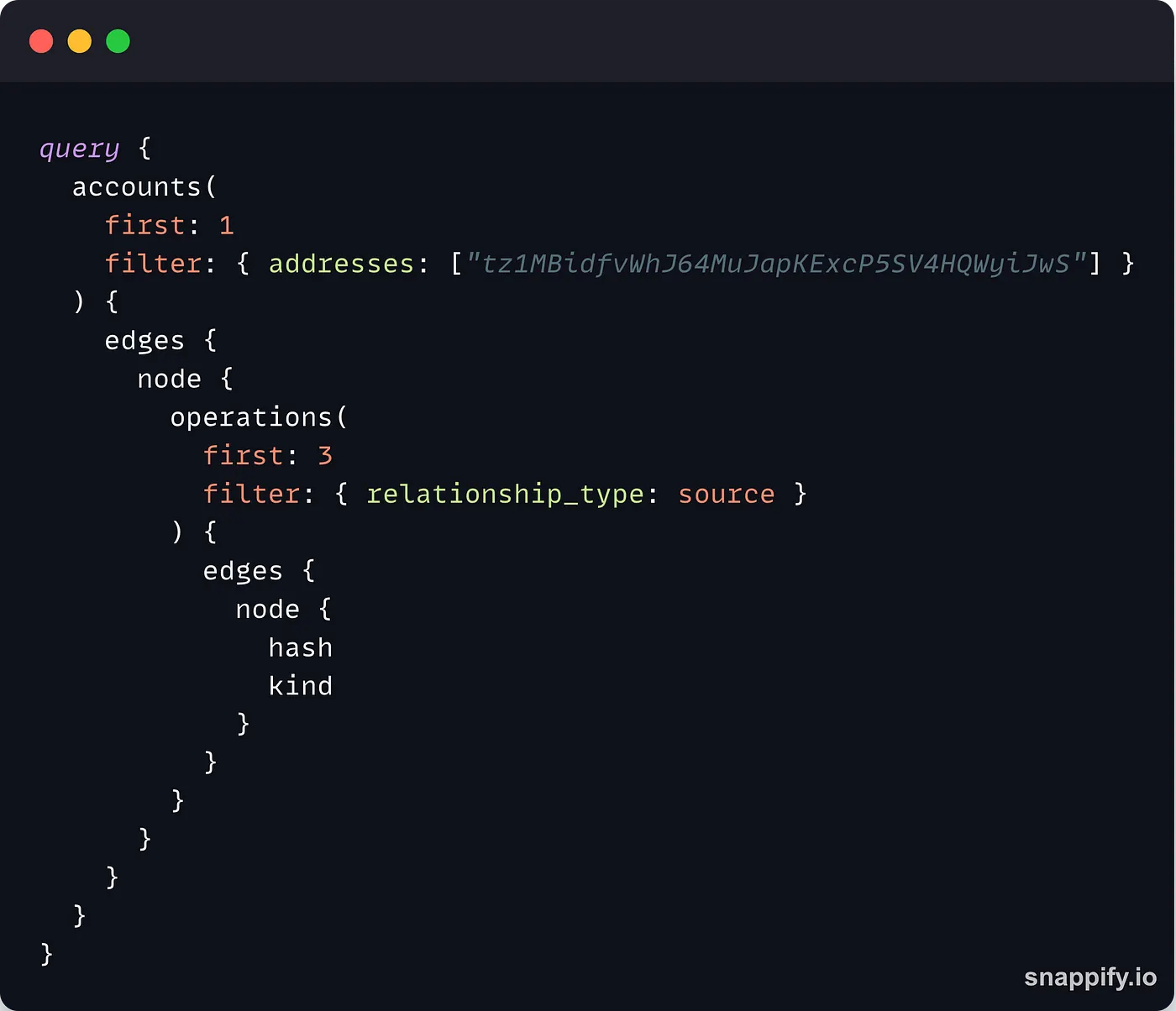
The query structure we showcased before is wrapped inside a query {} field.
The accounts field indicates that we are trying to get data about a Tezos account. This field requires parameters in order to find the account you are interested in. First and foremost, the address of the account must be passed as a filter parameter (note that you can also pass multiple addresses at the same time). TezGraph also needs you to indicate how many results you want, which you can do by setting the first field with the number of results you want (here only1 ).
Next, we get the edges { node { } } structure to select the data we will get back. In this example, we want to get the first 3 operations forged by the account, so we can reuse the first keyword with a value of 3 and the filter keyword with a value of { relationship_type: source } to get the operations from the specified account.
Note: TezGraph sorts the results from the most recent to the least recent by default, so the
firstkeyword refers to the most recent data whilelastrefers to the oldest one. We will see later on how to reverse this order.
In the last node {} field, we provide the kind of data we want to receive back, i.e. the operation hash and kind.
If you run this query in the online playground, you will get the following result:
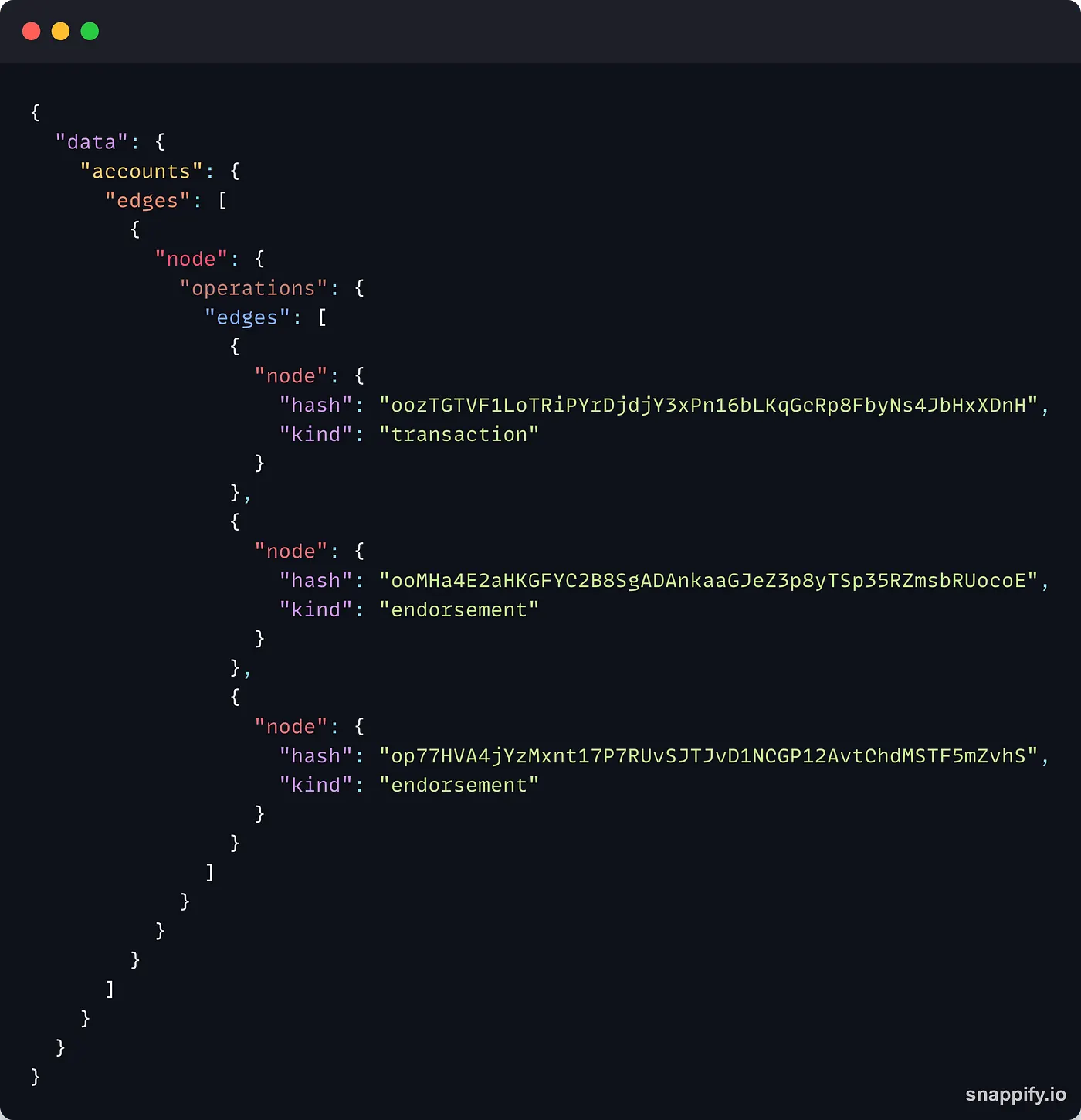
One of the amazing things about GraphQL is that the result you get has the same structure as the query you sent, you can see the accounts, edges and nodes fields in the response.
As expected, we get back the hash and the kind of the last 3 transactions of the specified account, nothing more, nothing less.
TezGraph query for account data
Now, let’s dive deeper into queries for account data. Although the field is called accounts, you can query data about both implicit accounts and contracts.
The type of the [accounts](https://tezgraph.com/schema/accountrecordconnection.doc.html) field includes 3 sub-fields:
page_info: an object containing the details of the current pagetotal_count: the total number of items matching the queryedges: a list containing the operation data
page_info and total_count help you organize the data you receive while edges contains the received data.
Let’s use the request from the previous paragraph and make it a little more complex to see what we can get from TezGraph. Let’s consider this query:
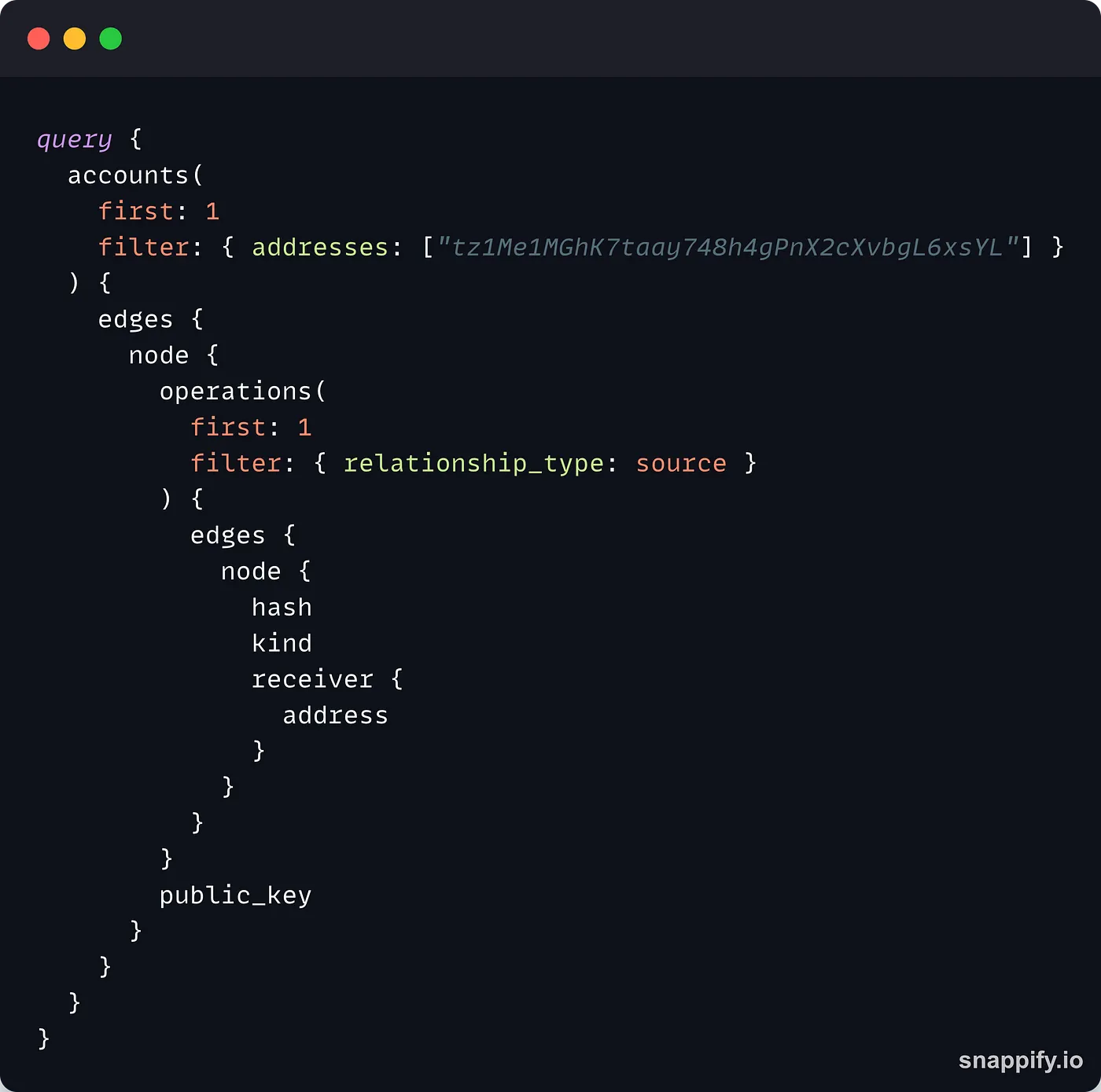
In the operations parameters, we changed first: 3 to first: 1 to indicate that we only want the latest operation from the implicit account. In addition to the edges field, we also ask TezGraph to return the public key of the account (public_key).
Regarding the operation data, we add the receiver field, a record of sub-fields, and we ask TezGraph to return the address of the receiver of the operation.
Note how the first
nodeand thereceiverfield are both of type[AccountRecord](https://tezgraph.com/schema/accountrecord.doc.html), this means that they accept the same fields and you only have to remember a single type for different data requests!
This is the data returned by TezGraph:
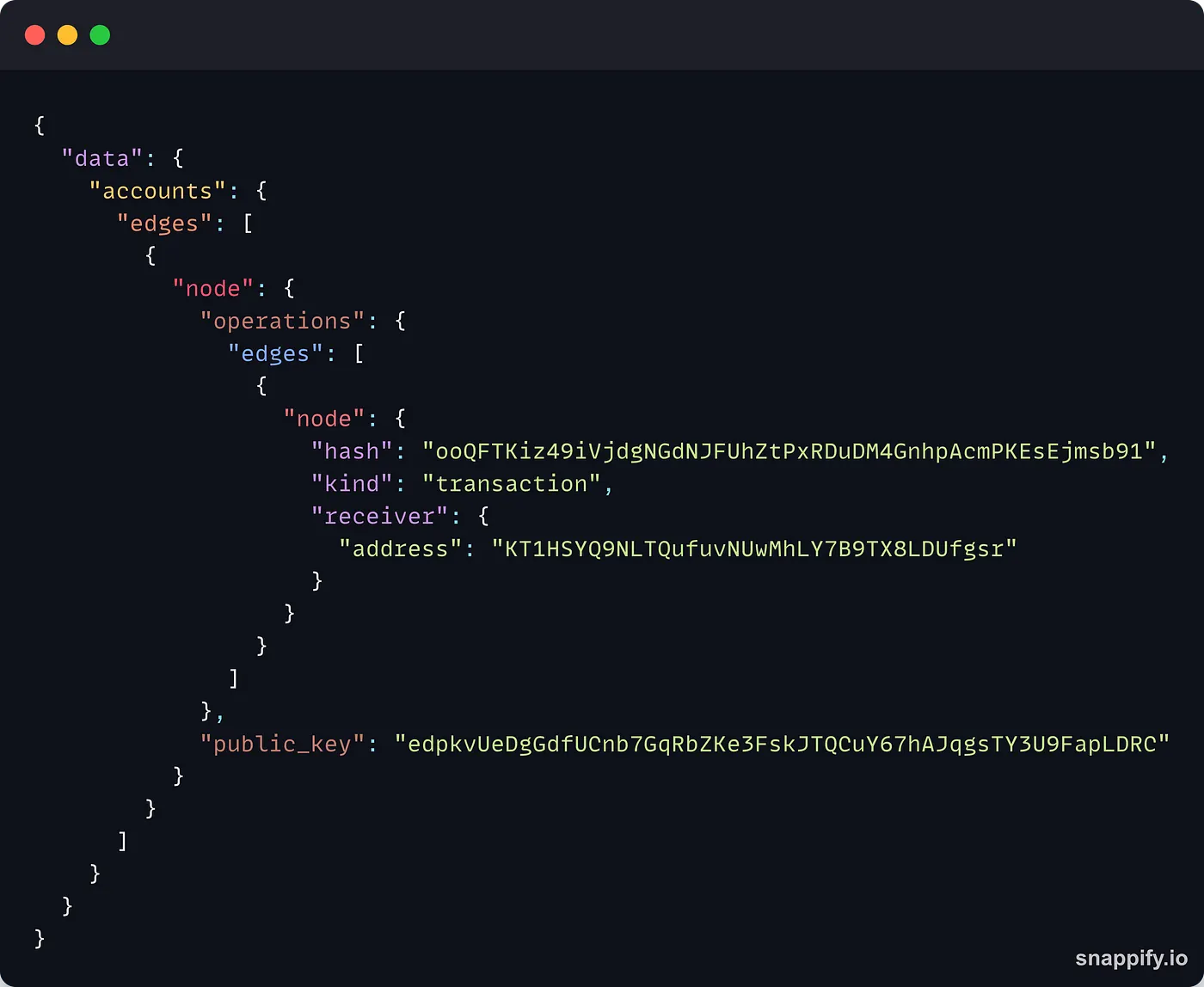
As explained before, the data you receive has the exact same shape as the request you sent! TezGraph returned the last transaction forged by the implicit account, as well as the address of the receiver of the operation and the public key of the sender.
From there, you can get all kinds of data about an implicit account like operations sorted by kind, receivers, position in the operations batch, etc.
Now, let’s have a look at the interesting data TezGraph provides about contracts. If we swap the implicit account address for a contract address, we get this:
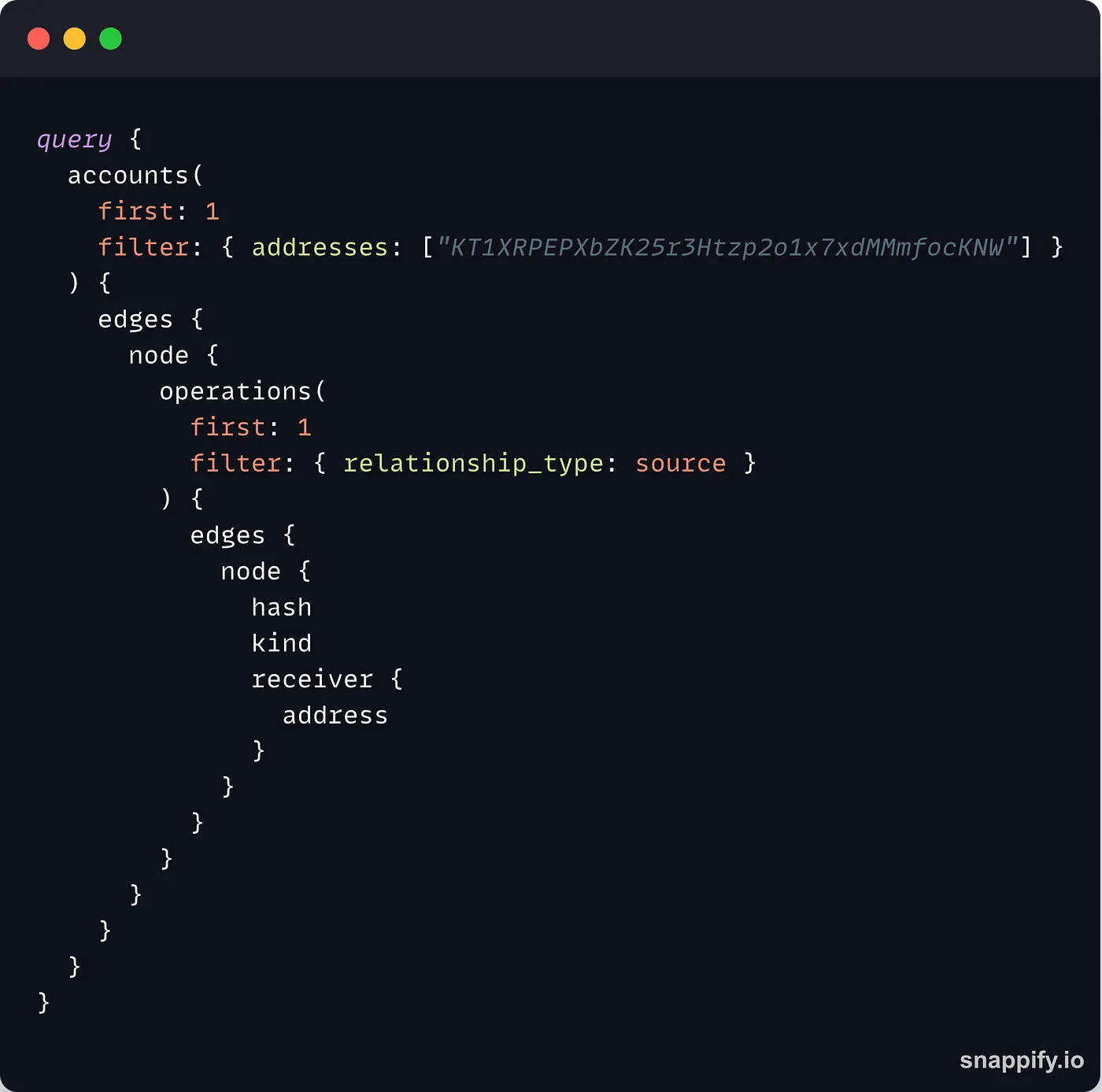
And then, this result:
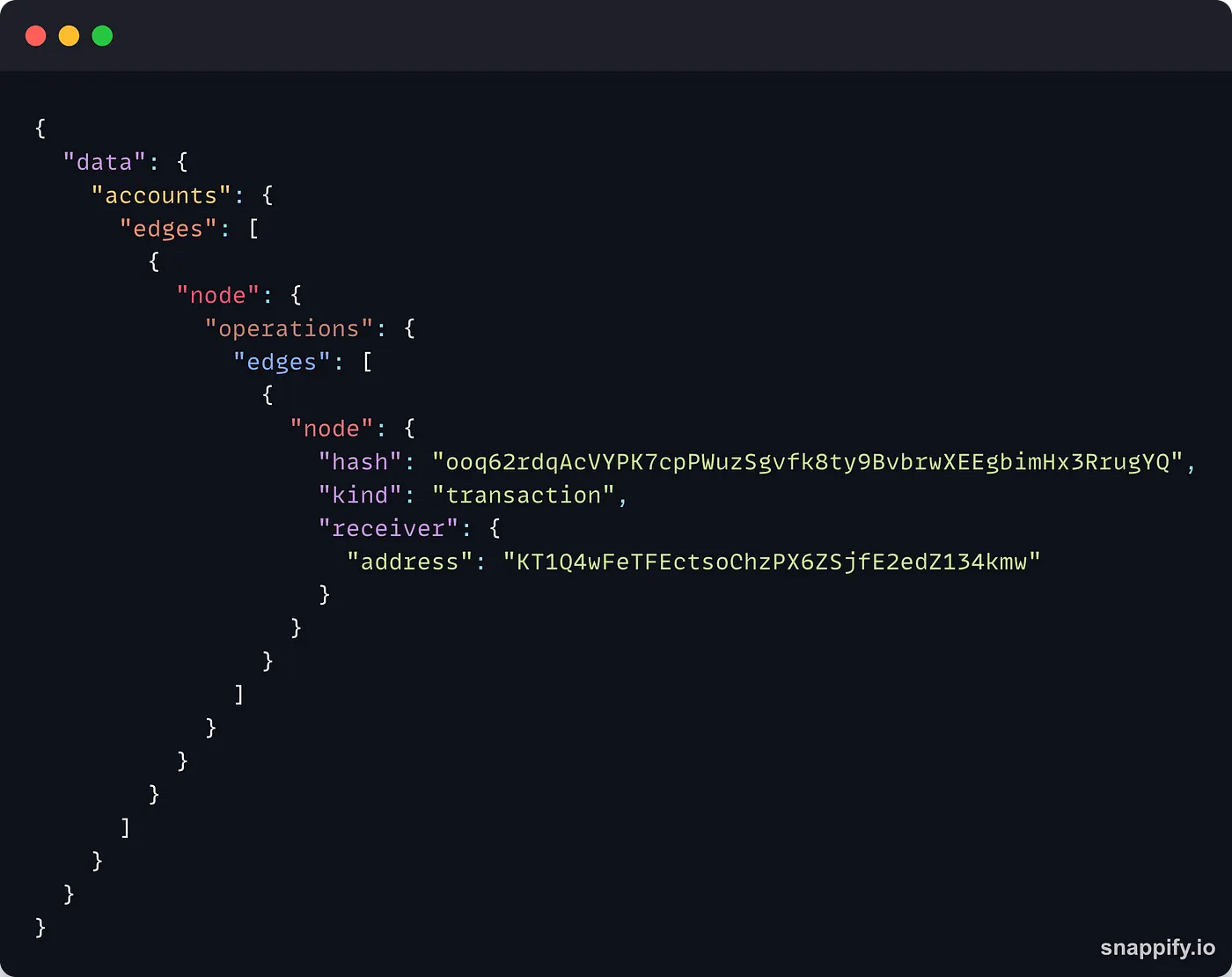
As you can see, the data is very similar to the one we got from the implicit account. However, contracts have different features and we can use TezGraph to get more data out of the contract:
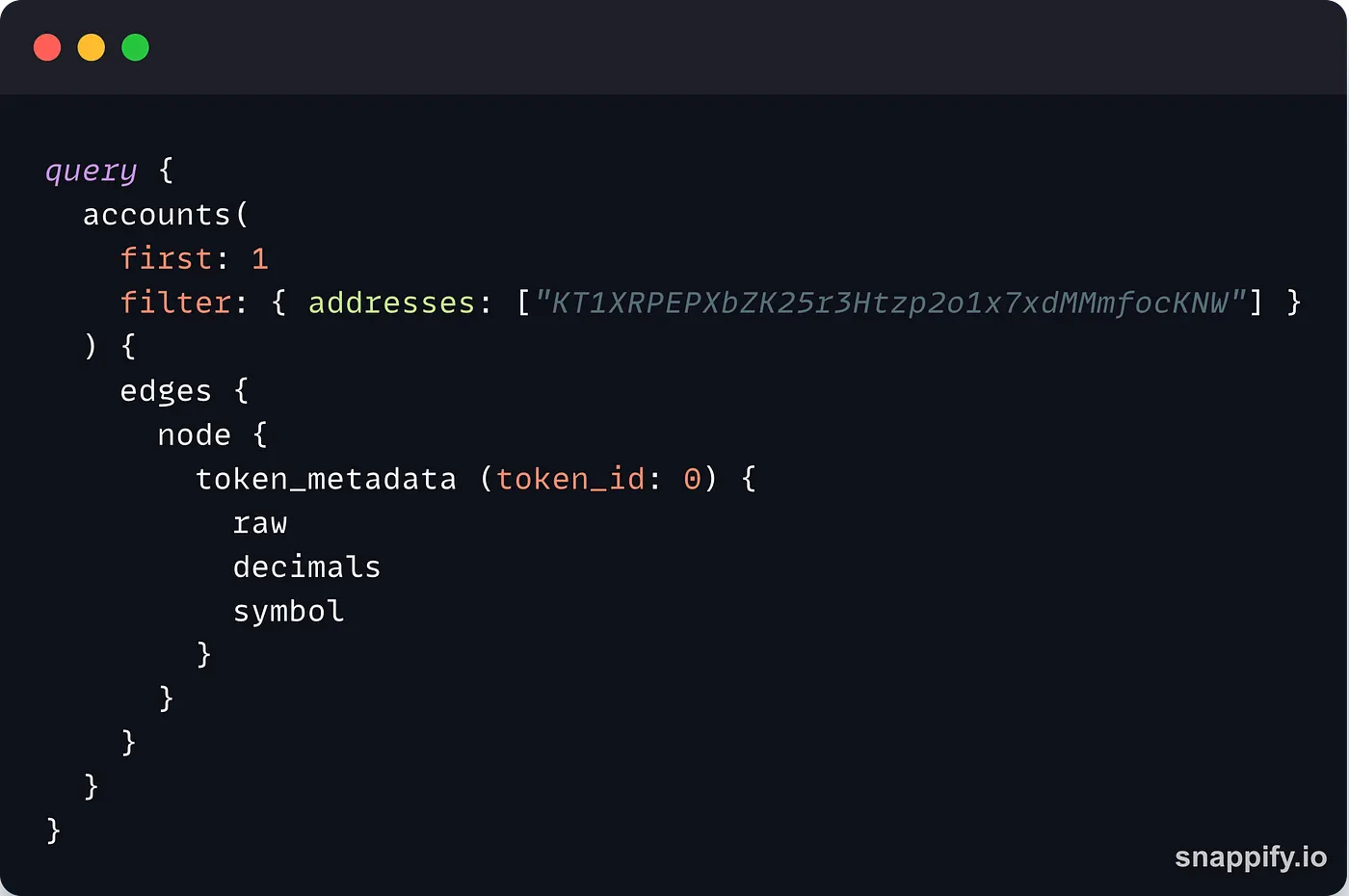
In this example, we send a query to get the metadata of the token with the id 0 from the Youves contract. Here is the result:
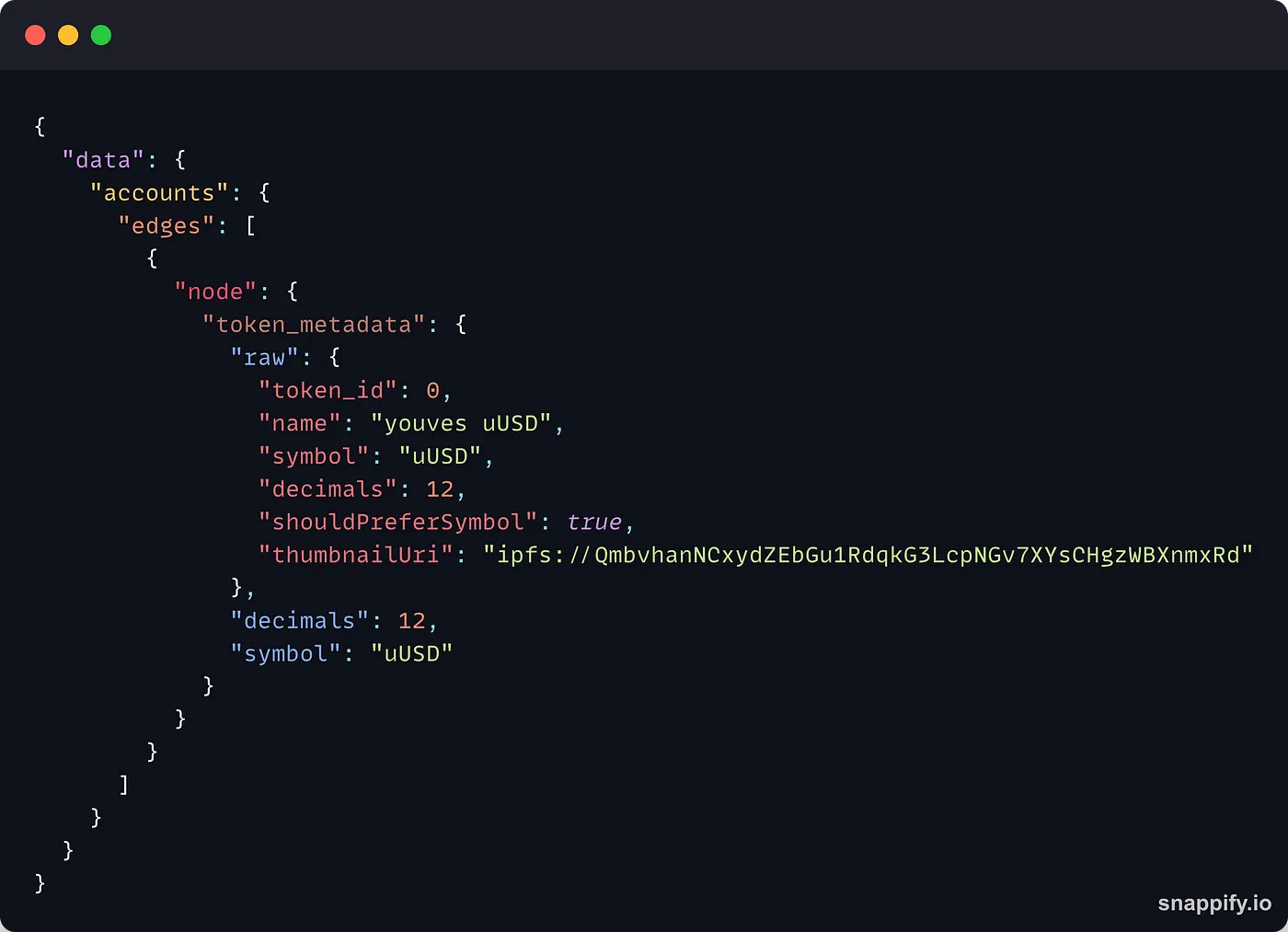
You can use the raw field to get all the token metadata, or you can pick the ones you need, like decimals or symbol.
TezGraph query for bigmaps
One of the most interesting places to find data on the Tezos blockchains are bigmaps. They can store hundreds of thousands of key/value pairs and are widely used to save user data.
Finding bigmap data with TezGraph is extremely easy. First, you need the id of the bigmap you want to use:
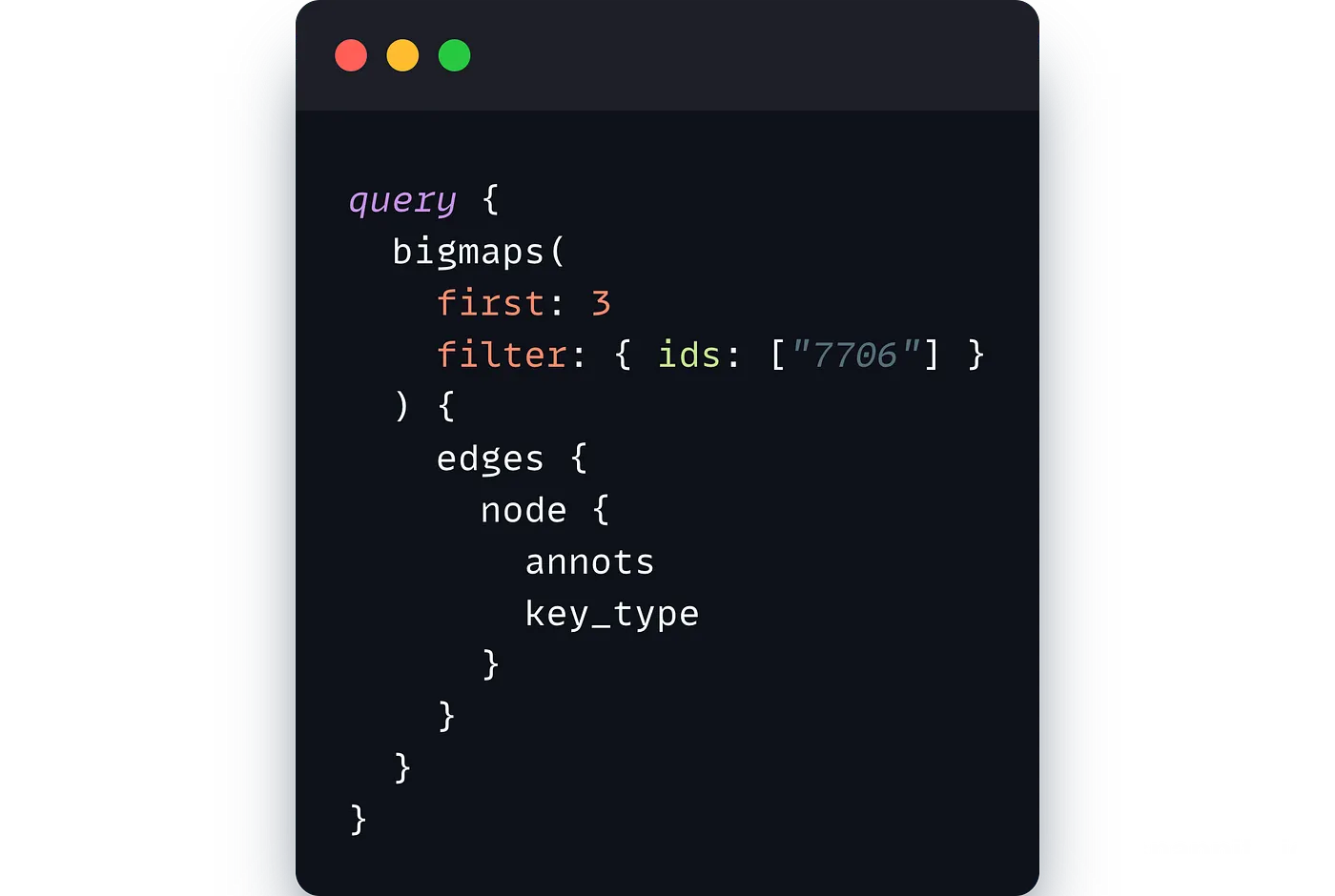
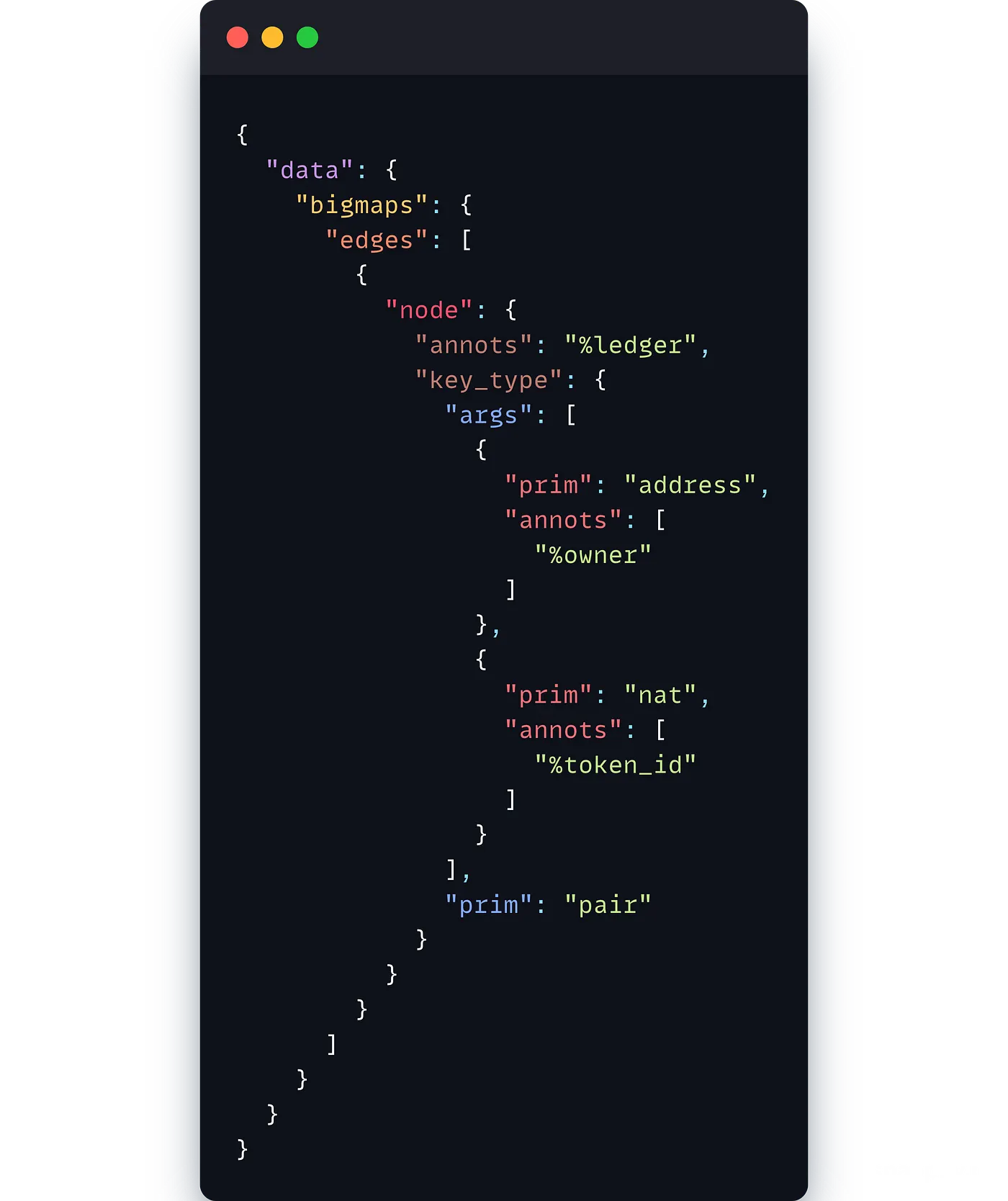
This very simple example will return the bigmap annotation and the key type:
Now, let’s try to get a value out of the bigmap:
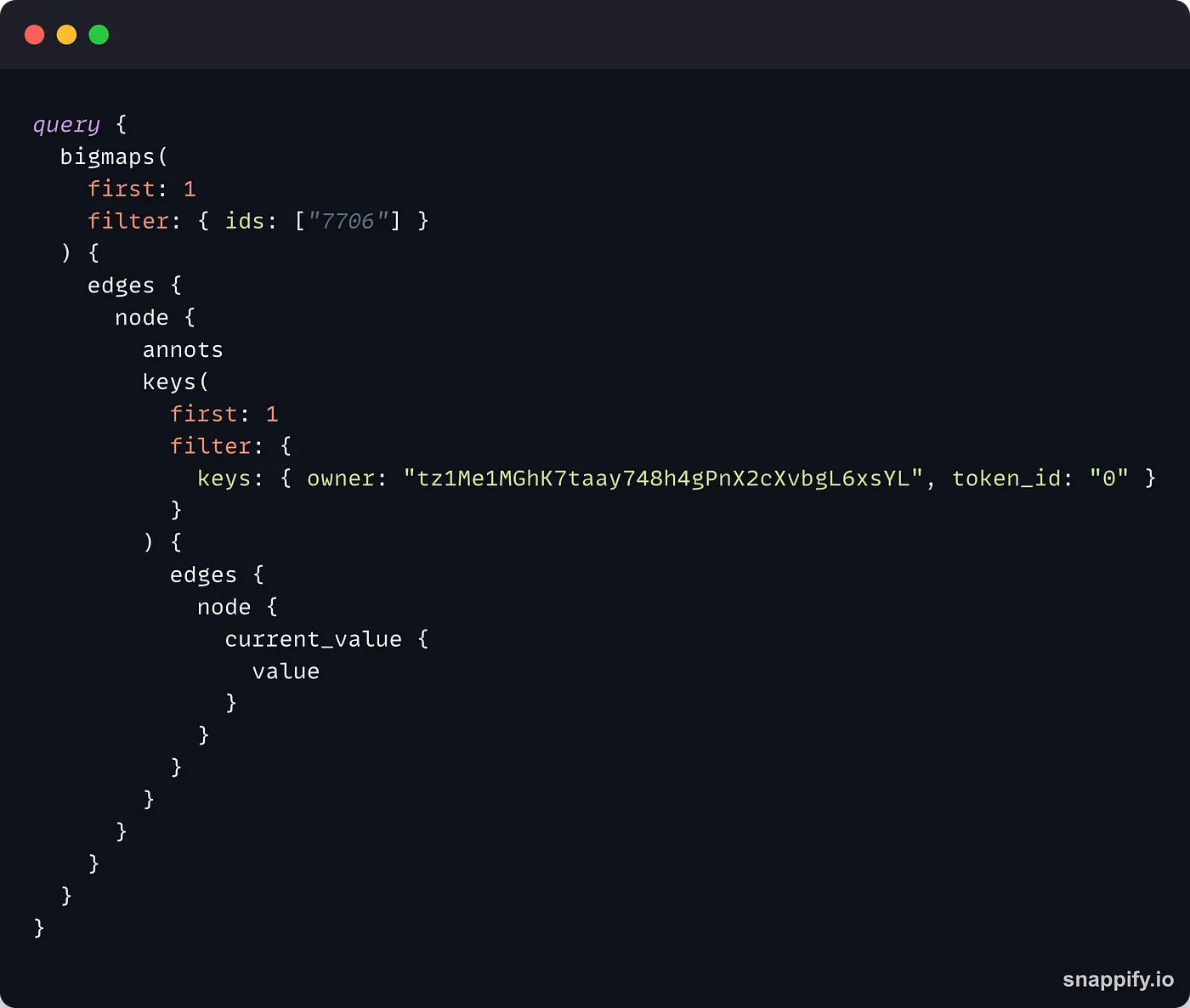
Just like in the previous example, the parameters for thebigmaps field include first (with a value of 1 as we only need one value back) and filter to indicate the id of the bigmap we want to get values from.
This time, in addition to the annots field, we use the keys field, which requires different parameters to find the key in the bigmap. Here, we add the first parameter with a value of 1 (keys are unique in a bigmap) and the filter parameter where the key is represented as an object (because the keys of that particular bigmap are pairs). This step of the query tells TezGraph about the key you are targetting.
Next, you tell TezGraph what you want to do when it finds the key. For this example, we will get the value associated with that key, so we use the current_value field which takes at least one subfield, for instance, value, to get the value in the bigmap.
Here is the result of the above request:
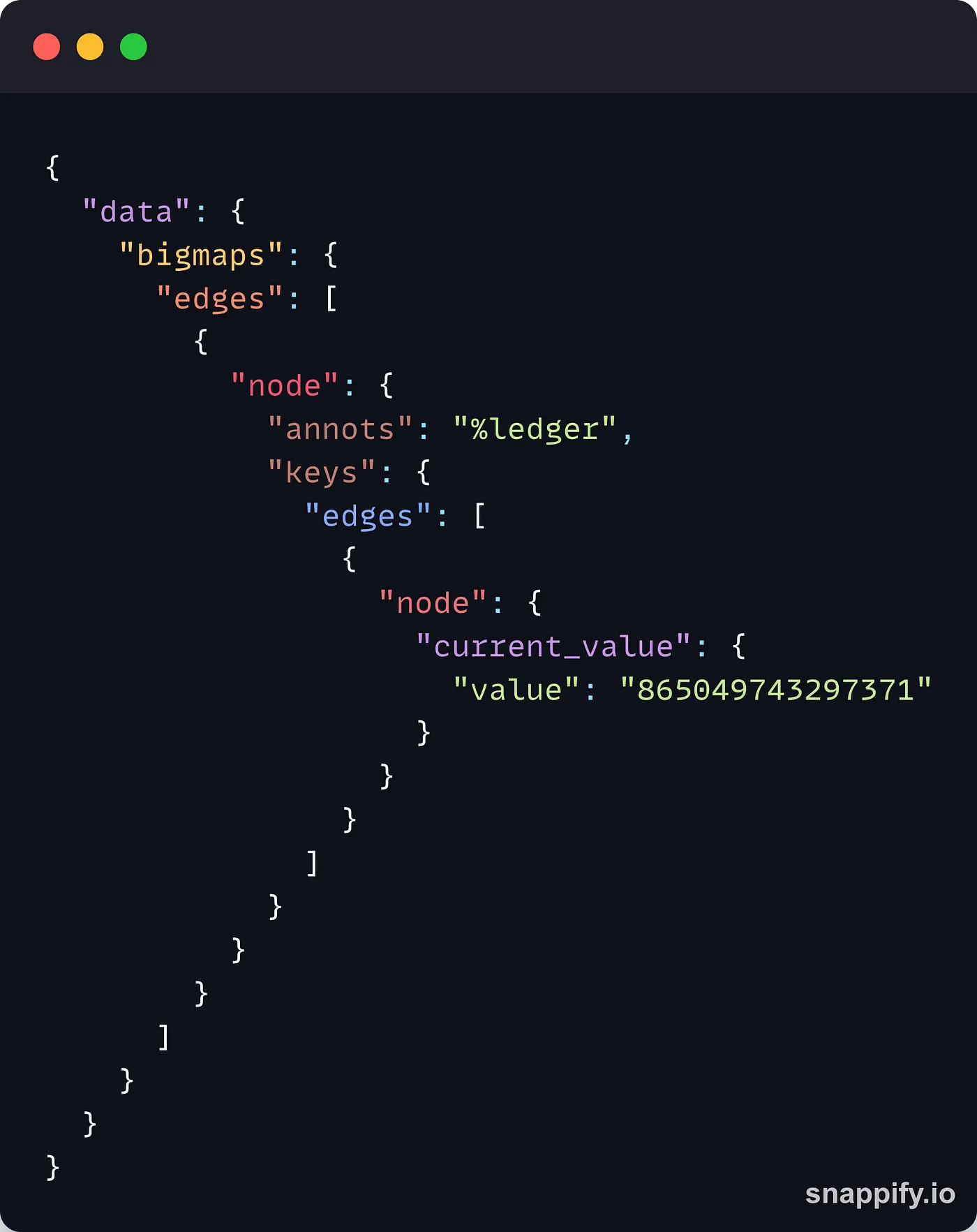
TezGraph returned the value stored at the selected key for the bigmap id 7706.
Once again, notice how the shape of the result mirrors the shape of the request. This makes the response format 100% predictable instead of getting a blob of JSON values that you must blindly parse and whose format can change after an update of the API, introducing breaking changes in your app.
To finish, TezGraph also allows you to get historical data about bigmaps. For example, we can check the last 5 updates made for this particular key by using the values_history field:
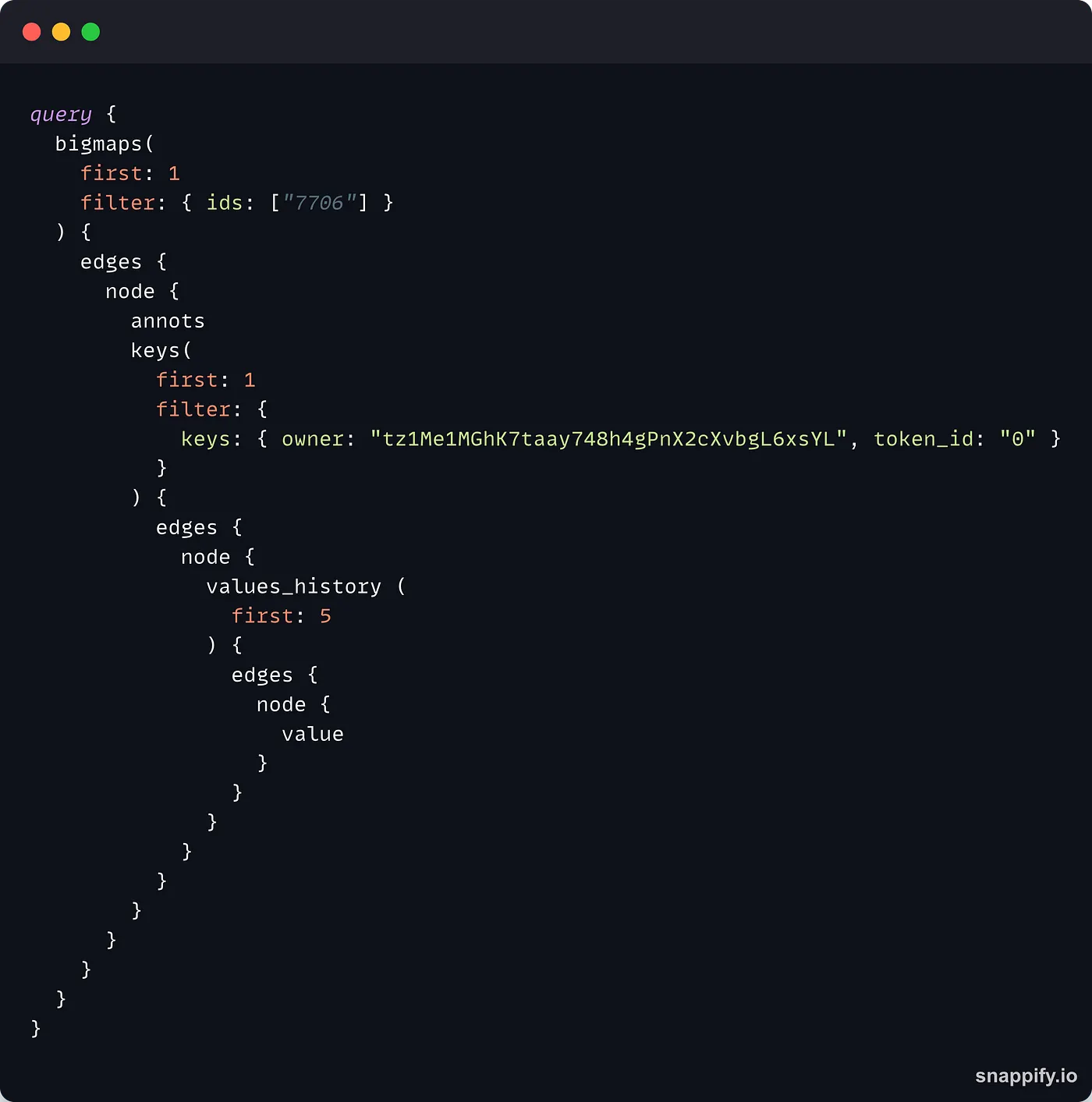
This request will return the following JSON output:
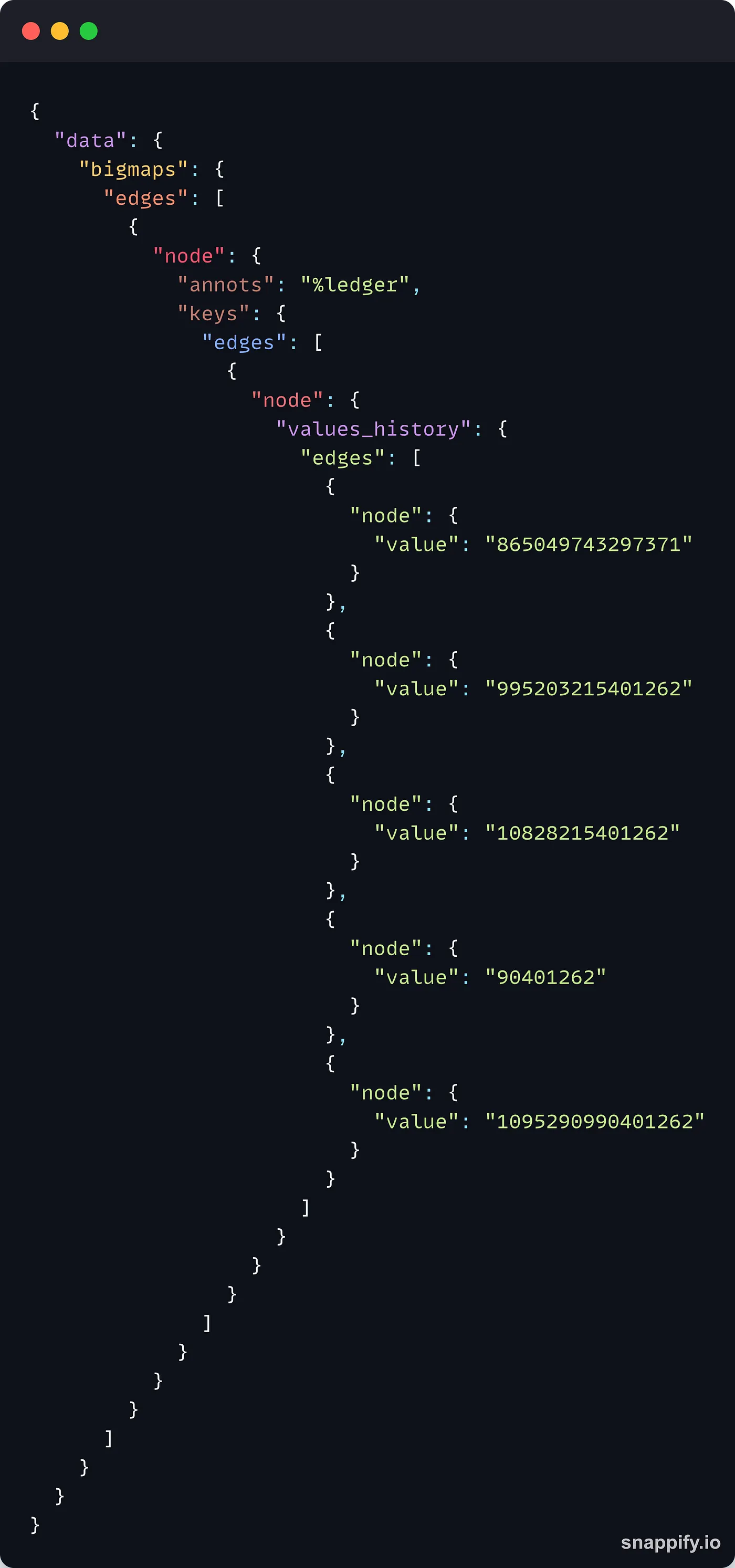
By default, TezGraph orders the data from the newest one to the oldest one, which means that first refers to the most recent data, while last refers to the oldest one. If you want to change this order, you can add this field to the values_history :
order_by: {
    field: block_level
    direction: desc
}
TezGraph lets you refine your search or display more information about the output, for example, adding block to the node field after values_history allows you to get the block level when the value in the bigmap was updated.
TezGraph query for operation data
In addition to data about accounts and bigmaps, you can also collect data about operations using TezGraph. As you are already familiar with the query format, you will find that querying operation data is extremely easy!
Let’s start with a very simple example:
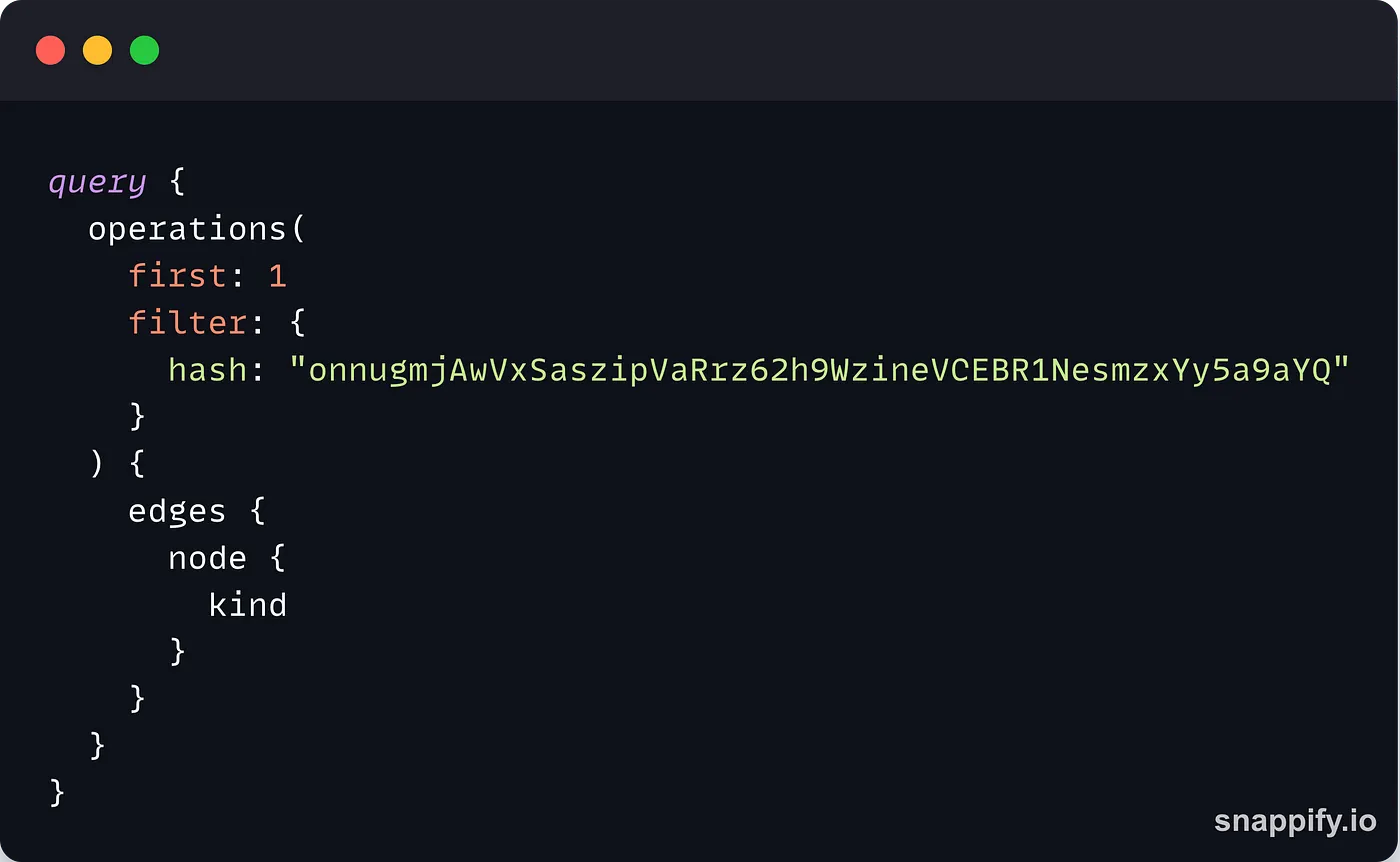
This time, we use the operations field that takes the same parameters as accounts or bigmaps . For the filter parameter, we indicate the hash of the operation we are interested in.
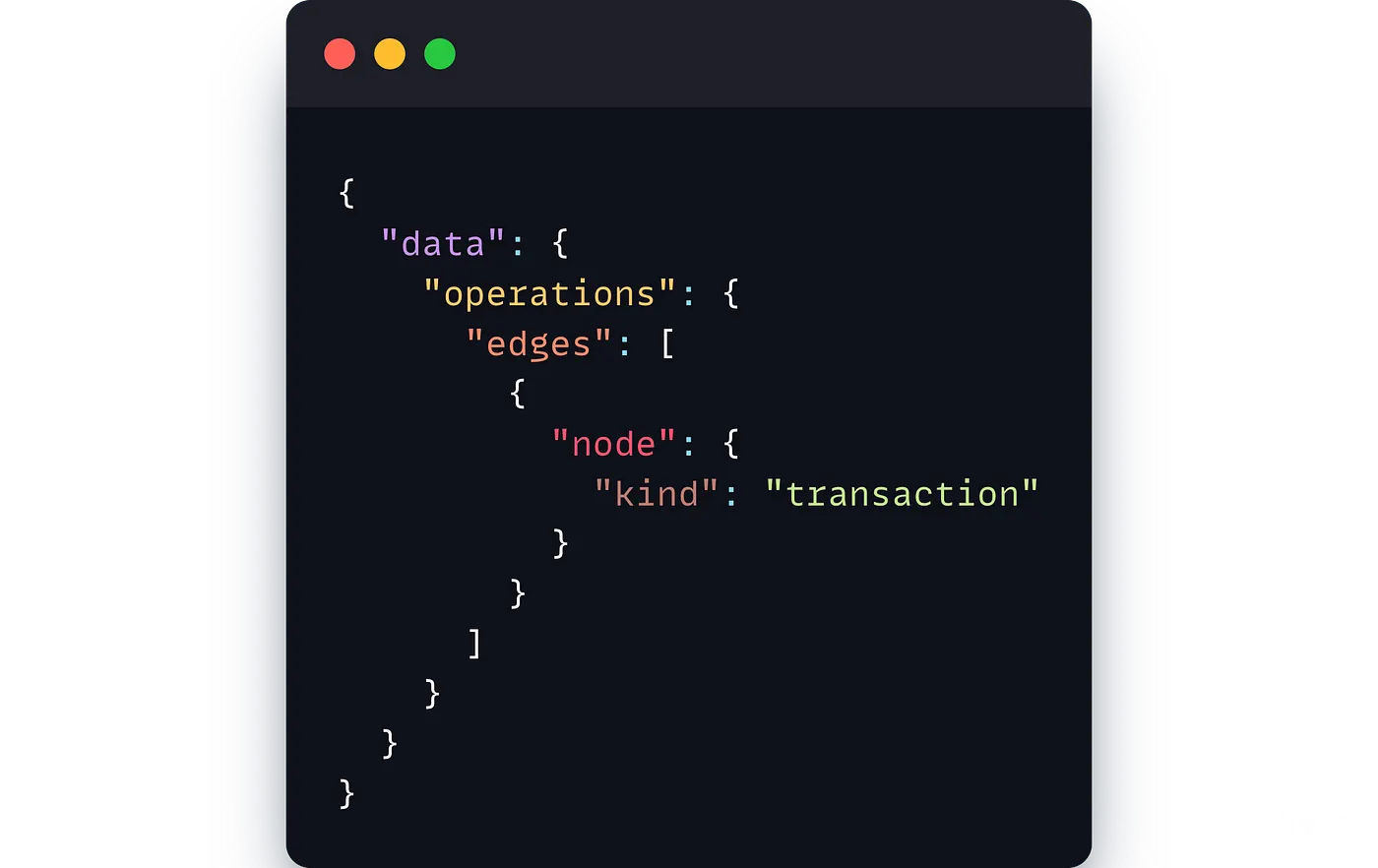
This request returns the following data:
For the last example, enjoy the power of TezGraph in narrowing down the exact data that you need. With the next request, we are going to fetch the operations of type transaction sent to a specific contract entrypoint from a certain address with an applied status:
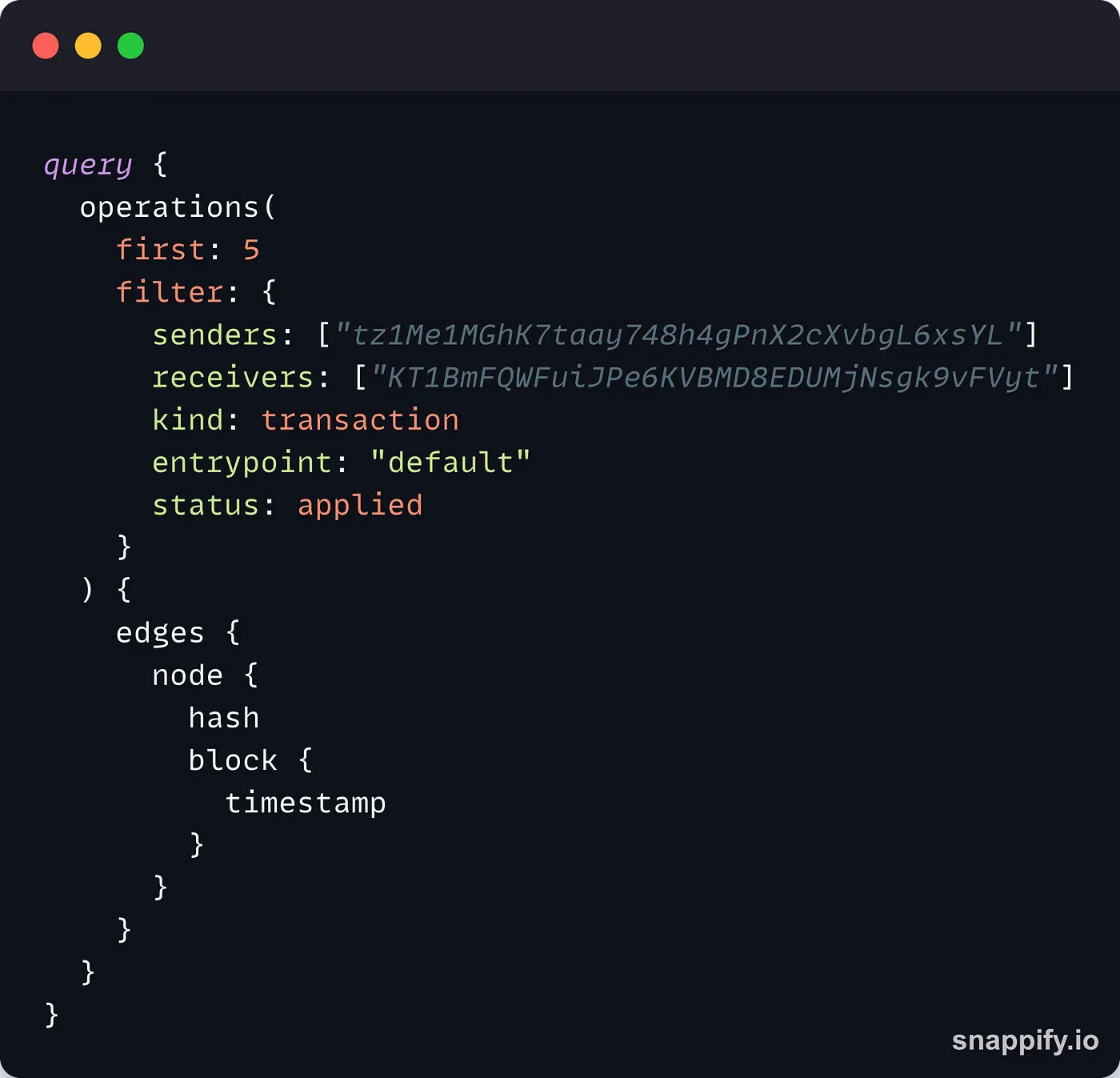
This is where TezGraph shines compared to a typical REST API: the parameters to filter the results of the query can be fine-tuned according to your use case and all of them are strongly typed. If you try to pass kind: "transaction", the request will fail and you will get an error message indicating that the type is wrong. This also means that you can use certain types like enum while this wouldn’t be possible with a REST API.
Subscriptions
Reading data from the blockchain is great, but what is better, is to get notified when the data on the blockchain changes. This is where you can use TezGraph subscriptions 🤯
TezGraph allows you to subscribe to different types of data and be notified when the data changes. For example, you can listen to new blocks, changes in storage or balance, and new proposals.
Subscriptions requests follow the same request format but instead of sending a query, we will send a subscription request. Let’s see how to listen to new blocks:
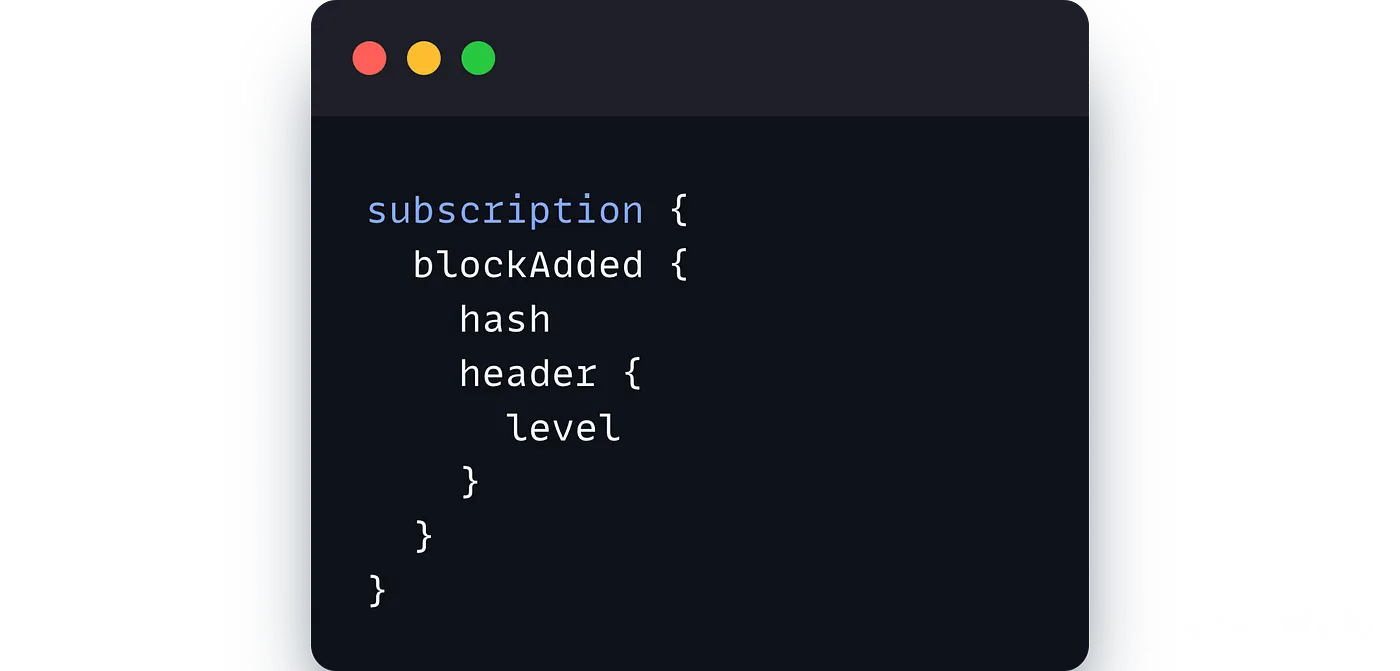
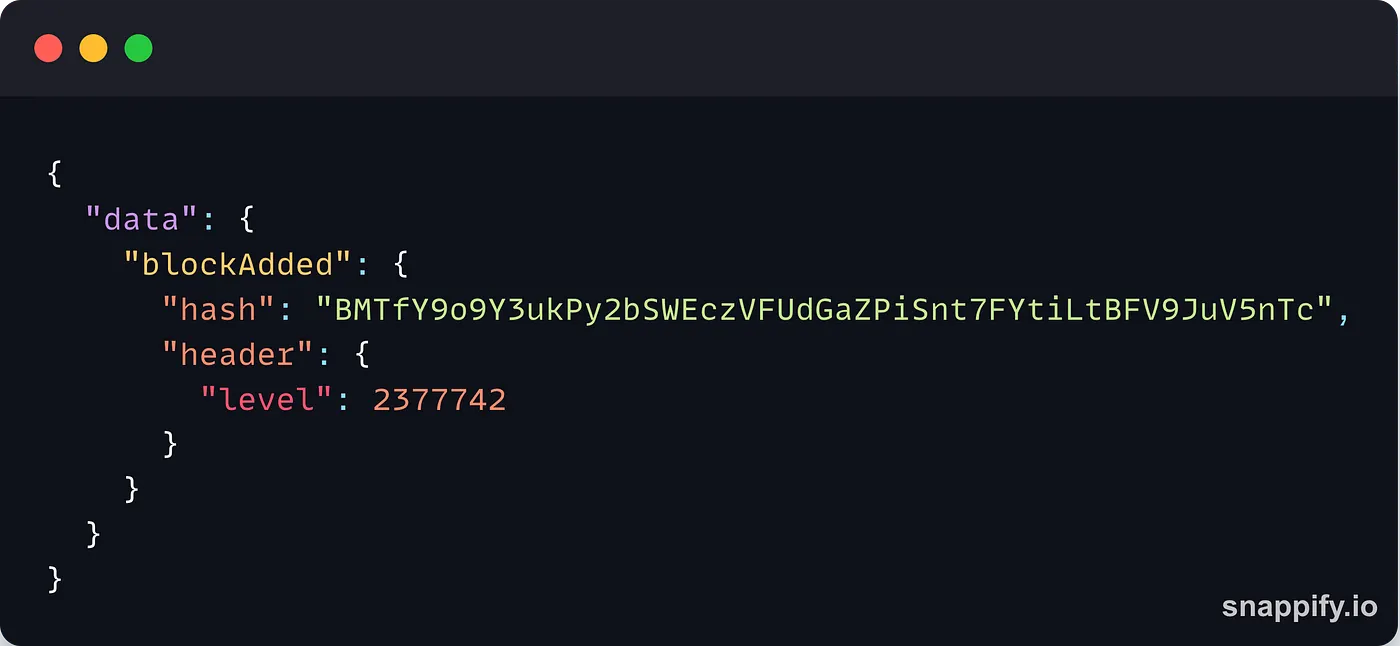
And that’s it! That’s all you need to start listening to new blocks on the Tezos blockchain! This request will return the hash and the level of every new block, for example:
TezGraph also allows you to listen to different kinds of updates from the blockchain, for example, you can listen to updates made to a specific bigmap:
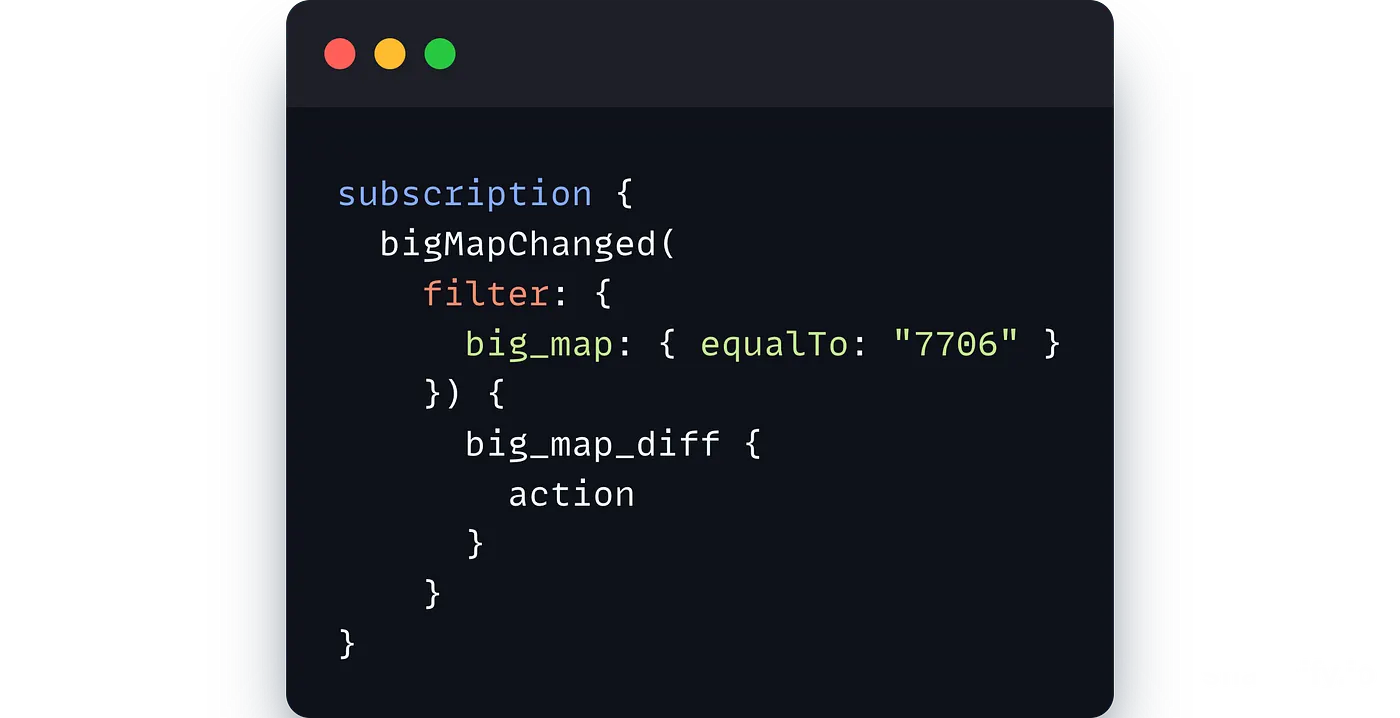
Every time an update will be made to the bigmap with the id 7706, TezGraph will send you a notification.
In addition to subscribing to new blocks or changes to a bigmap, TezGraph also allows you to subscribe to new transactions! With this feature, you will be able to listen to new transactions and filter them according to your needs, for example:
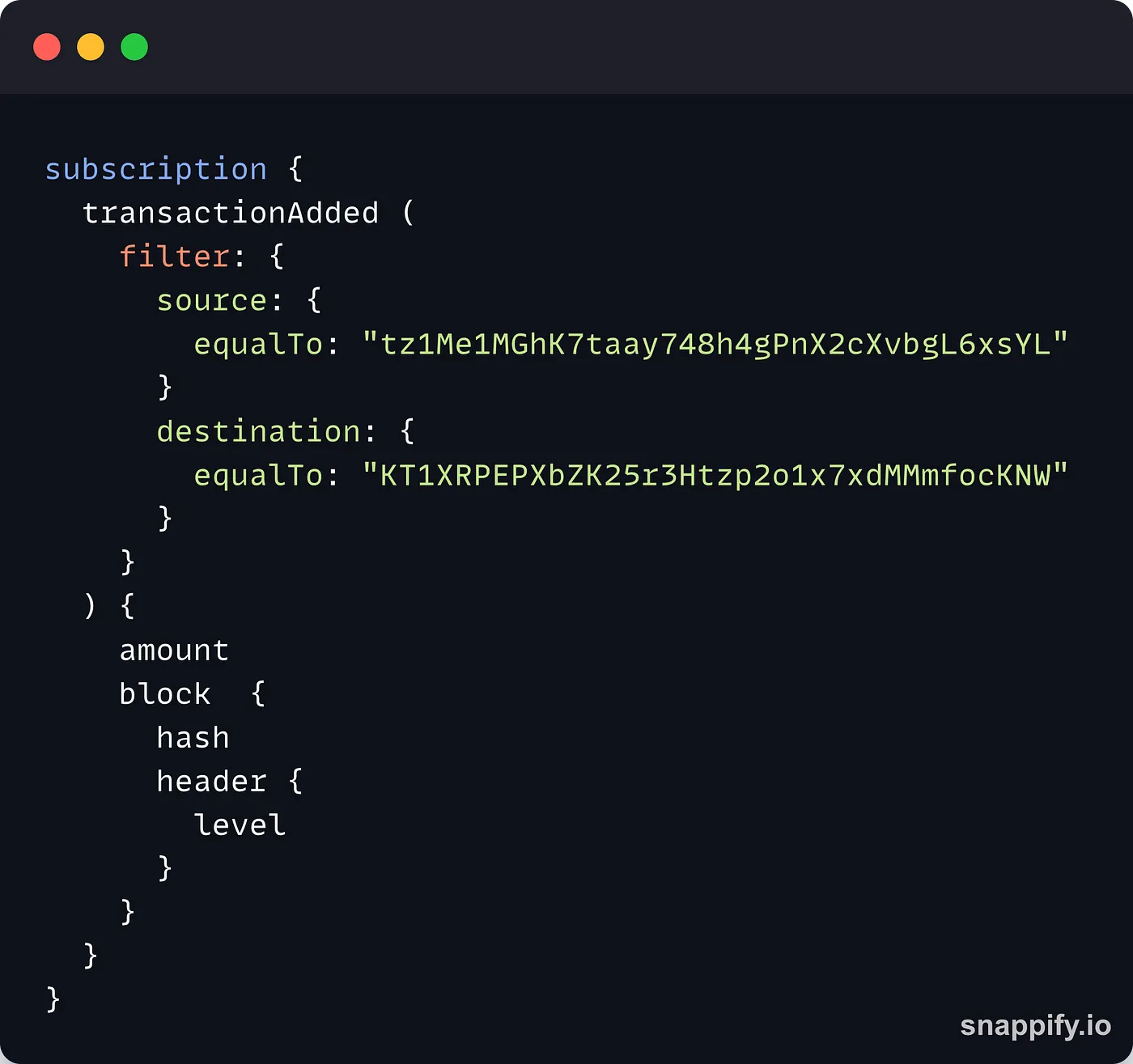
This subscription will listen to transactions sent from an implicit account to a contract. For each transaction, TezGraph will return the amount of tez attached, as well as the block hash and the level.
Building on that with all the filtering options TezGraph offers, you can easily create subscriptions and narrow down the kind of results you get!
Using TezGraph with TypeScript
Sending requests
You will most likely want to use TezGraph to get blockchain data for your dapp. With a very simple setup, you can create the request and send it to a TezGraph using JavaScript/TypeScript.
Here is an example of a request to get the last 3 transactions from an account that we will break down:
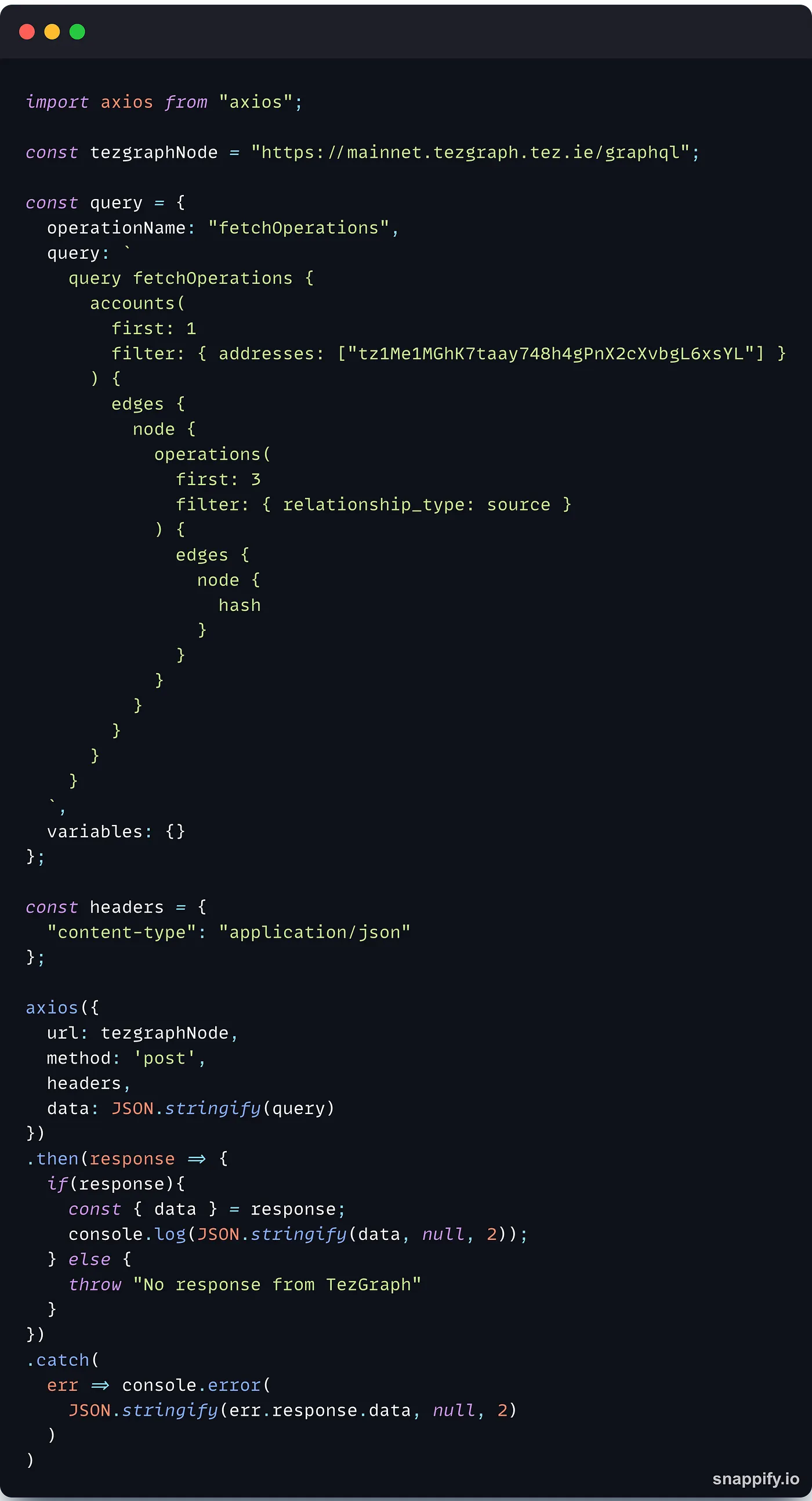
We are using axios here, but this would also work if you want to use the Fetch API.
The data you will send to the TezGraph node must be formatted in a specific way, as a JSON object with the following properties:
"operationName": the name of the request, i.e. the one that appears after thequeryfield"query":the actual query"variables": any variable present in the query
Once this is done, you can send the request to the TezGraph node of your choice with axios :
axios({
 url: "[https://mainnet.tezgraph.ecadinfra.com/graphql](https://mainnet.tezgraph.ecadinfra.com/graphql)",
 method: 'post',
 headers: {
     "content-type": "application/json"
 },
 data: JSON.stringify(query)
})
The TezGraph node will return a response that contains the result of the query in JSON format. From there, you can parse the JSON and get the data that you requested.
With this extremely simple setup, you can start querying complex data and use them in your dapps 🥳
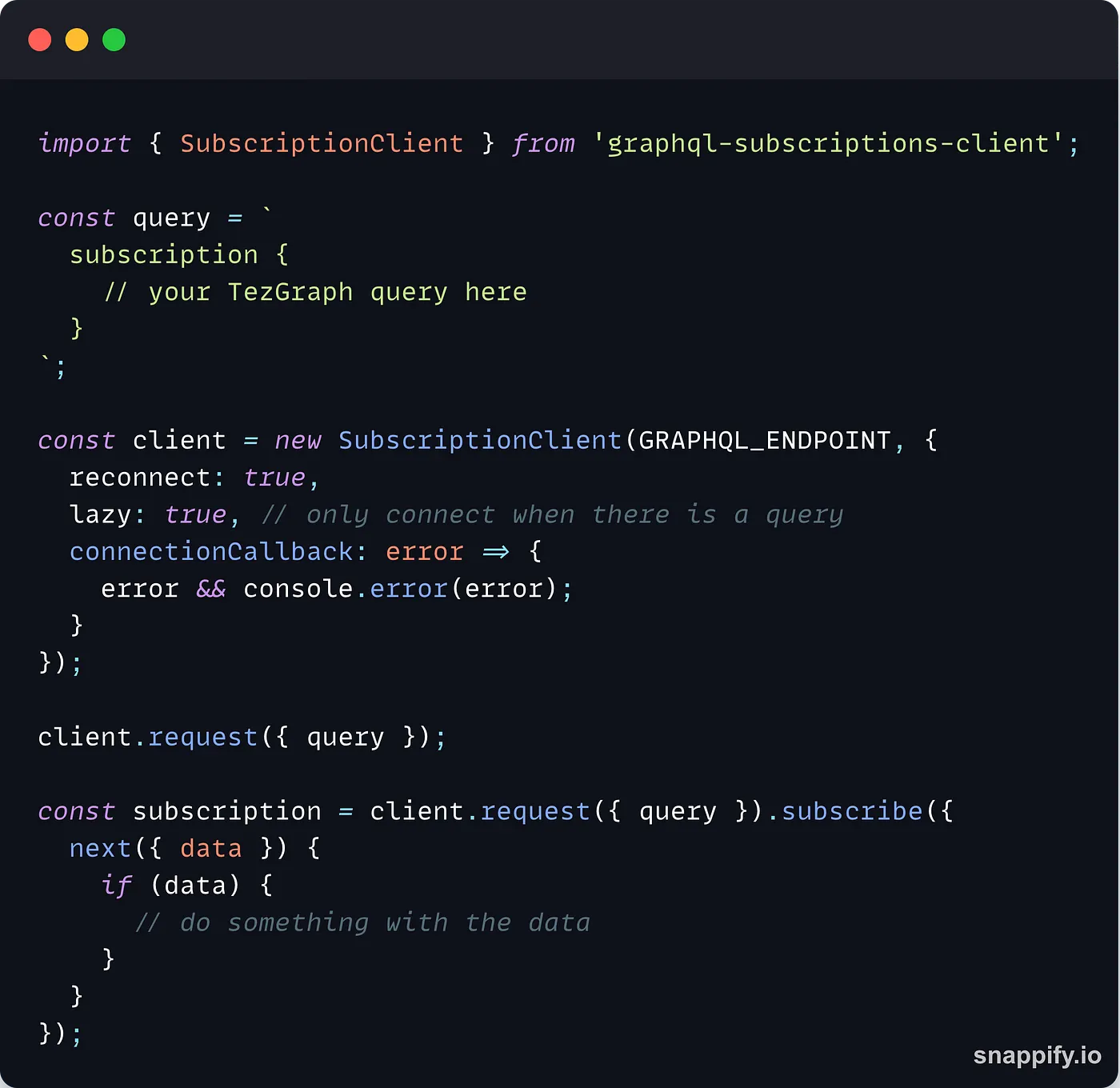
Subscribing to updates
The subscription process from the JavaScript side is simple but involves third-party packages. If you already used GraphQL before, you may already have a favorite one. If this is your first time, you can use graphql-subscriptions-client:
Conclusion
TezGraph brings the power of GraphQL to the Tezos ecosystem. Instead of using a REST API with untyped parameters that returns a lot of data that you subsequently have to sort in order to get the one you are interested in, you can leverage the flexibility and precision of TezGraph queries to get what you exactly need.
After a simple setup using your favorite JavaScript/TypeScript tools, you can start writing TezGraph requests in no time to get details about operations, accounts, contracts, bigmaps, etc., and even subscribe to updates from the blockchain to make your dapps more reactive!
This article only scratched the surface of the vast capabilities of TezGraph. To learn more, you can check the official documentation or start getting your feet wet with the online playground to see it in action.
- Official documentation: https://tezgraph.com/docs/
- Schema documentation: https://tezgraph.com/schema/
- Online playground: https://mainnet.tezgraph.ecadinfra.com/graphql