
Sapling is a feature of the Tezos blockchain introduced by the Edo upgrade that allows the anonymous transfer of tokens in a decentralized environment. The introduction of this feature required the addition of several Michelson instructions in order to allow anonymous transactions at the contract level.
Although the use of Sapling is still limited in the Tezos ecosystem, it is a powerful and useful feature. The slow adoption of Sapling is likely due to the lack of support from major Tezos libraries. This is about to change now that Taquito has added new easy-to-use APIs to work with Sapling.
This tutorial will guide you through the different steps required to view a Sapling balance and transaction history and forge shielded, unshielded and Sapling transactions with Taquito. After a quick introduction to the details of Sapling, you will learn everything you need to start making anonymous transactions on the Tezos blockchain 🥷
Note: this is not an article about Sapling, but about the Sapling package as part of the Taquito library and how to use it to interact with a Sapling pool. For more details about Sapling, check the links at the end of the article.
What is Sapling?
Although a blockchain is by definition a public ledger where all the transactions are visible to anyone, there are cases when a little more discretion is required. A user may want to send an amount of XTZ to another one without revealing that transaction to the public.
This is where Sapling comes into play. Although there are a lot of technical details, the basic concept of Sapling is pretty easy to understand: Alice has 10 XTZ she wants to send to Bob in an anonymous way. There is a contract on-chain that has a Sapling pool, which is going to obfuscate the transactions happening inside. Alice encrypts the transfer with her key and sends the coins to the pool where Bob can retrieve the coins with his own key and withdraw them from the pool.
As you may have guessed, this only works if there are enough users using the same Sapling pool as the transactions entering and exiting the pool are still public, you just don’t know who sends coins to whom.
Now, let’s dive into the new @taquito/sapling package and see how to handle these transactions with Taquito!
Creating the SaplingToolkit instance
The @taquito/sapling package exposes a class called SaplingToolkit that’s going to be your entry point to the Sapling world, just like the TezosToolkit of the @taquito/taquito package is your entry point to interacting with the Tezos blockchain.
Before creating an instance of the SaplingToolkit, we have to create the spending key. The spending key will allow you to send your coins to the Sapling pool and to create viewing and proving keys you may need later.
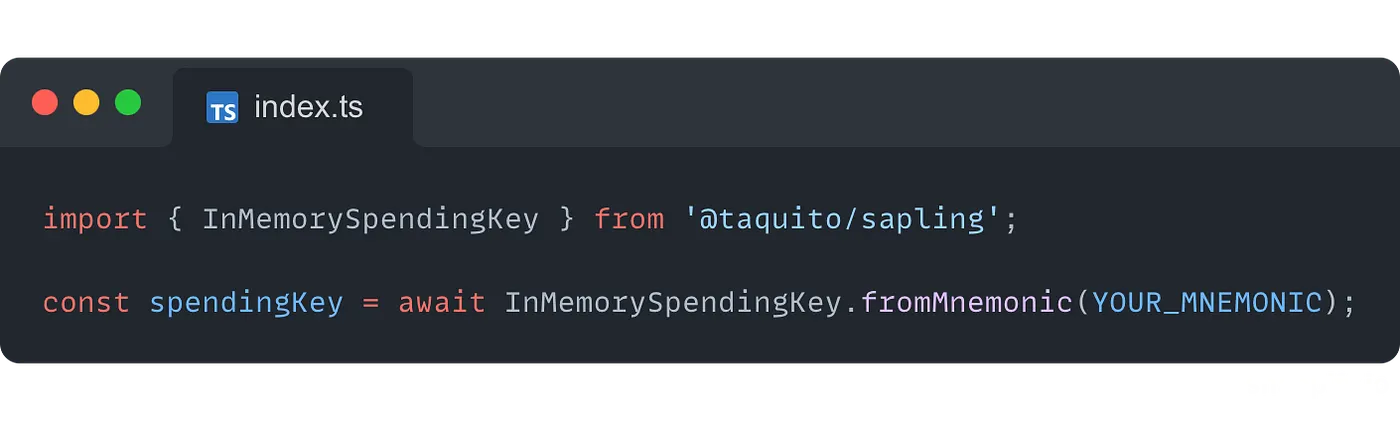
It is also possible to create the spending key from the private key:
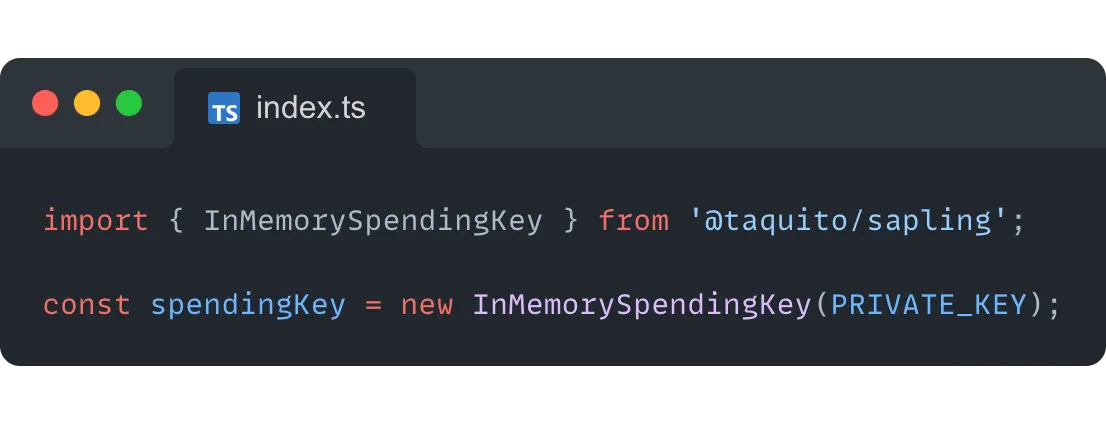
Note: as you can see, the creation of the spending key involves the user’s mnemonic or private key. As a result, it should not be used in the front end, as there will be no safety measures in place to guarantee that the mnemonic or private key won’t be leaked.
Once the spending key is created, we can set up the SaplingToolkit :
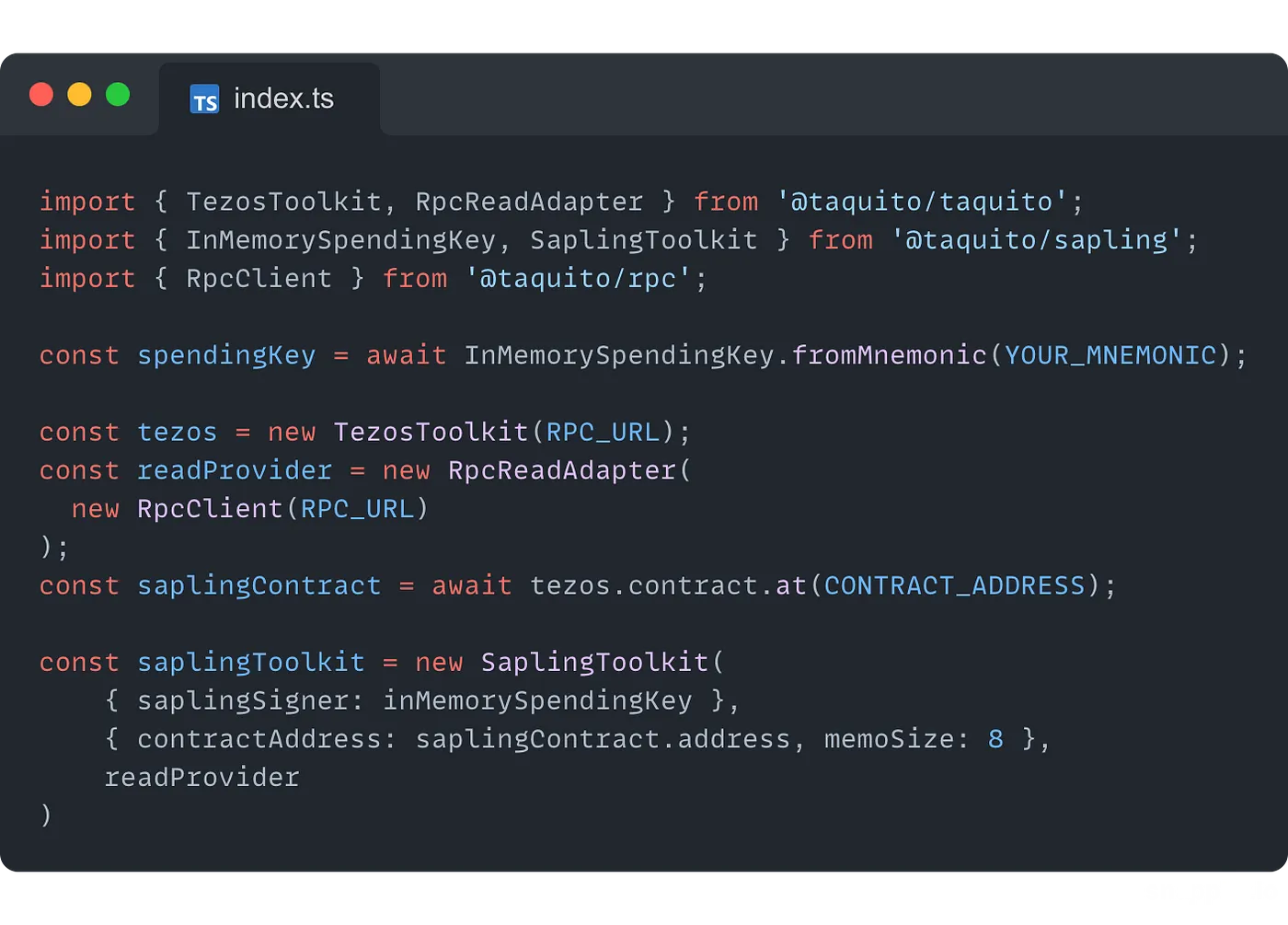
After importing the different classes we need, we have to set up the RpcReadAdapter as it will be required by the SaplingToolkit with the URL of the node you want to connect to.
Creating the contract abstraction is not totally necessary here, but, as we will interact with the contract, it’s good to have it prepared in advance.
Then, the SaplingToolkit constructor takes 3 parameters:
- An object with 1 required property:
saplingSignerused to pass the spending key, as it is needed to prepare and sign transactions that spend tokens, and an optional propertysaplingProverto pass a proving key - An object with a
contractAddressproperty to pass the address of the contract with the Sapling pool you are targeting and amemoSizeproperty to indicate the memo size of the pool - The instance of the
RpcReadAdaptercreated earlier
After that, the SaplingToolkit instance is ready and we can start doing more interesting things!
Reading a Sapling balance and transaction history
If you have been getting coins through a Sapling pool, you may want to know how many! You can now use the SaplingToolkit to do it:
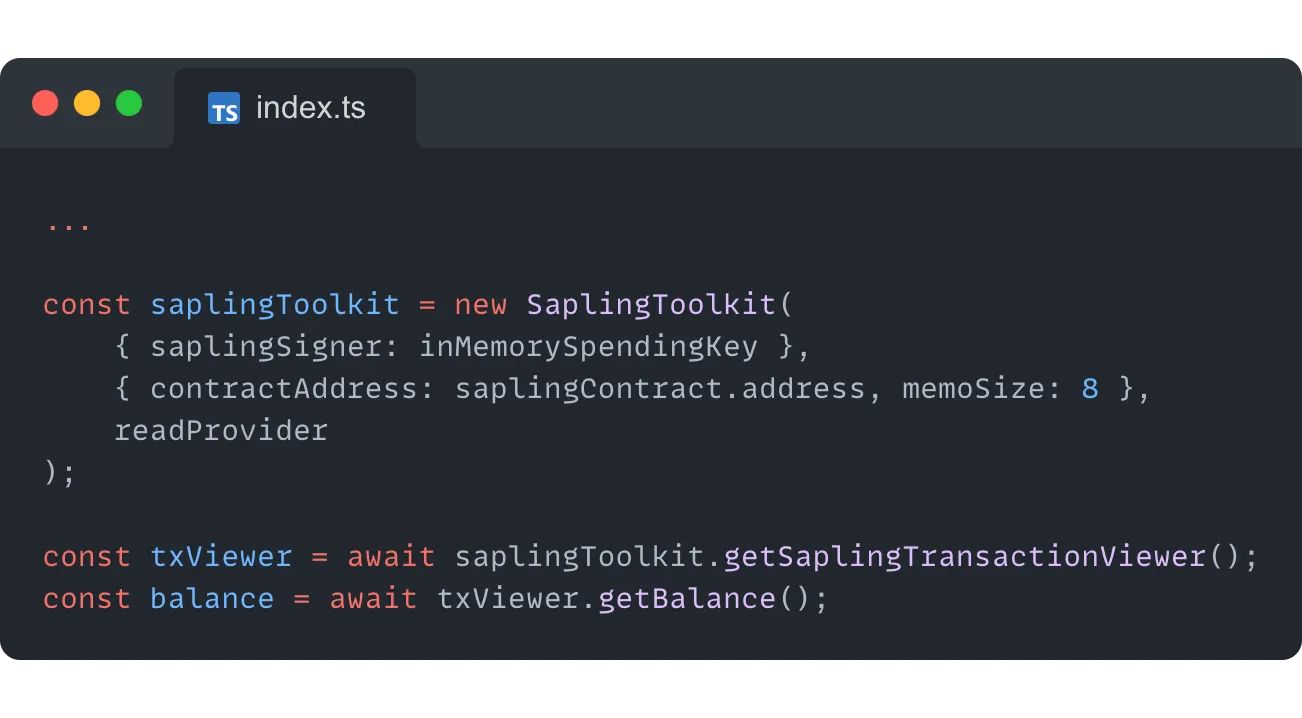
After creating the instance of the SaplingToolkit, we can use the getSaplingTransactionViewer method on it to get the Sapling balance of the account used to create the spending key (that was passed to the SaplingToolkit as an argument).
This returns a SaplingTransactionViewer which exposes multiple interesting methods, among these the getBalance method that returns the unspent balance of the user in the pool.
Another useful method is the getIncomingAndOutgoingTransactions that returns the history of transactions for the spending key:
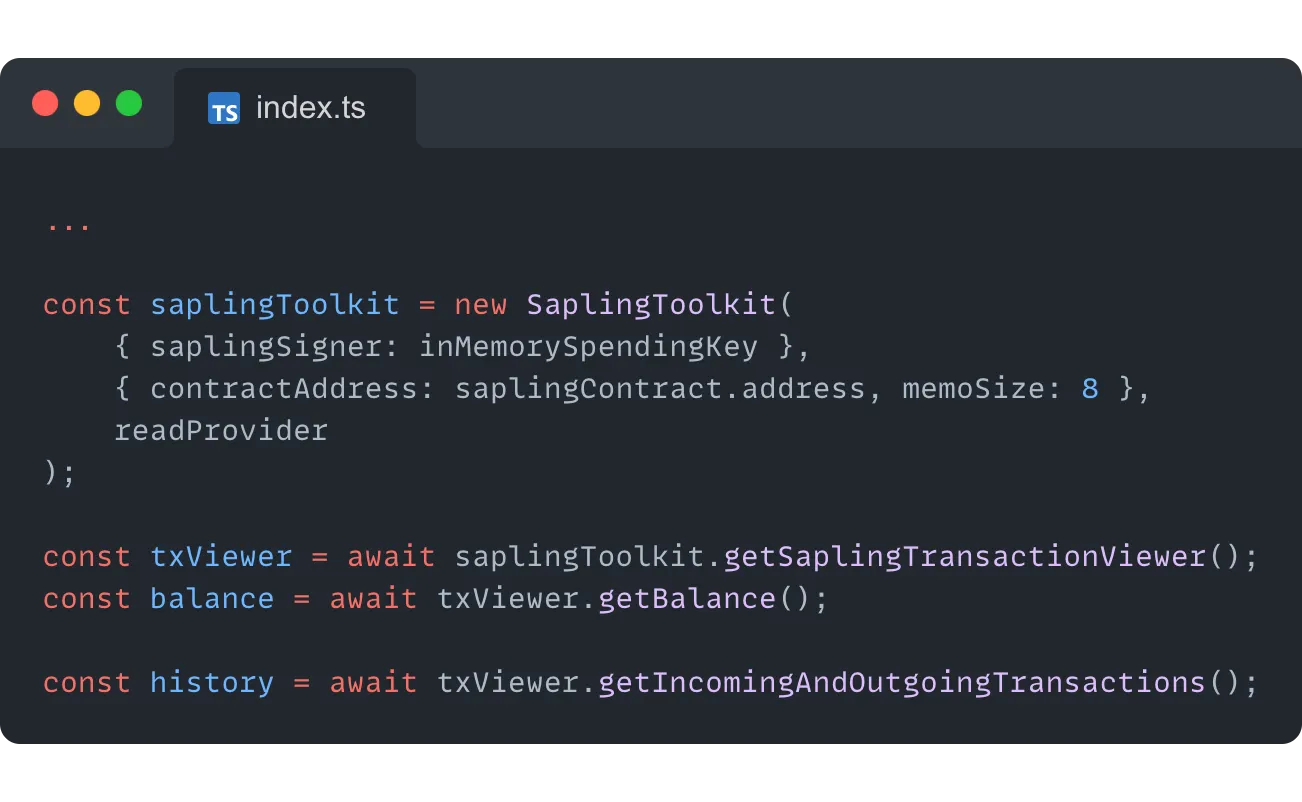
The value returned by this method is an object with 2 properties:
incomingfor the history of incoming transactionsoutgoingfor the history of outgoing transactions
Now, let’s see how to actually change the Sapling balance in the pool by sending some coins!
Creating a shielded transaction
As you may have guessed already, the forging of a shielded transaction is going to be done with the SaplingToolkit instance. Typically, you want to create such a transaction to send tez from an implicit account (tz1/2/3…) to a Sapling address (zet…). This is how it works:
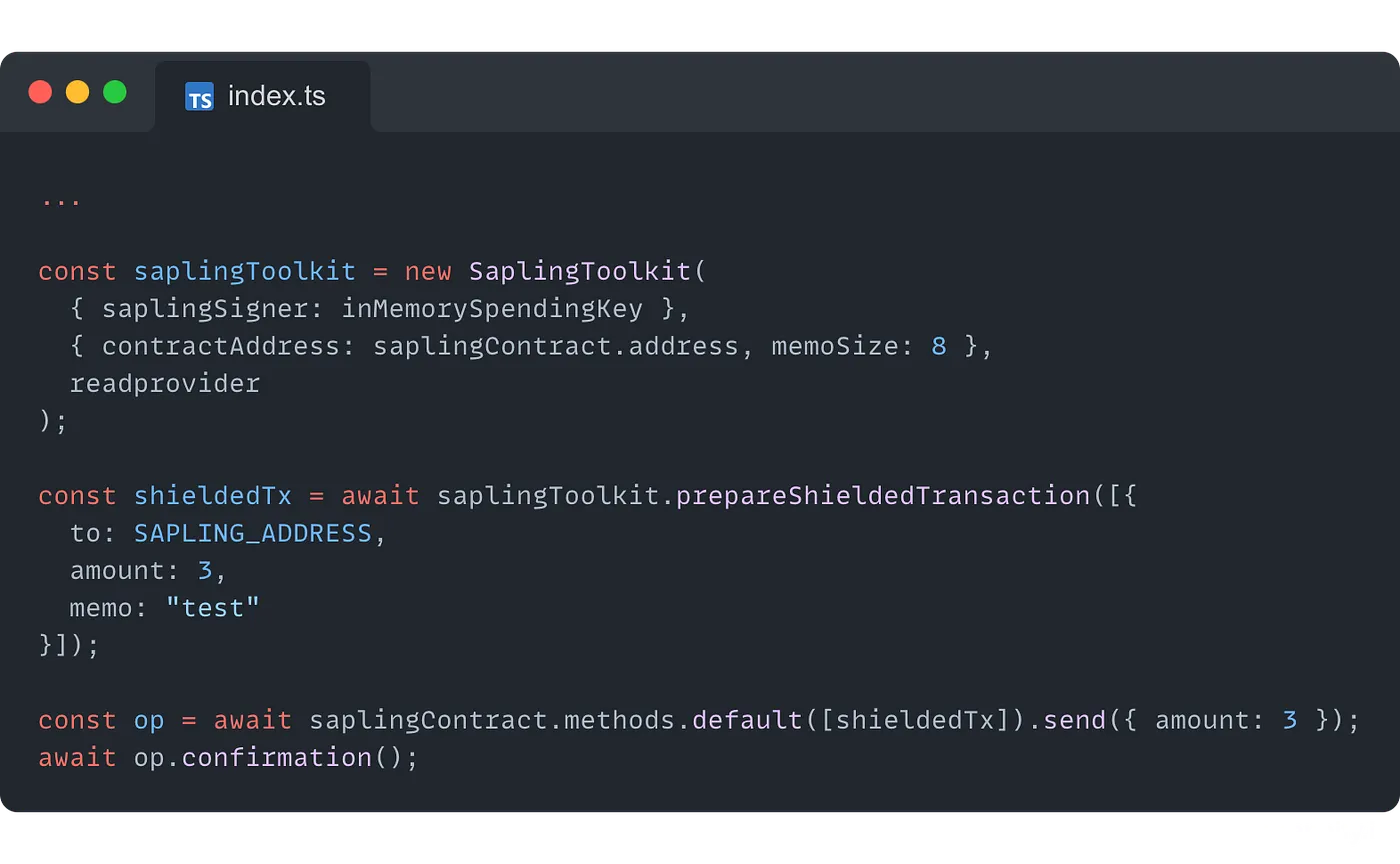
First, we create the parameter for the shielded transaction with the prepareShieldedTransaction method. It takes an array of arguments, making it possible to send tez to multiple Sapling addresses at once if needed.
Each argument is an object with the following properties:
to: the Sapling address of the recipient (which starts withzet)amount: the amount to send in tezmemo: the memo for the pool with the right sizemutez: default to false, if set to true, the amount is considered as a mutez value
Once the transaction is ready to be sent, you can call the entrypoint of the contract designed to receive Sapling transactions (in this case, the contract has a single entrypoint that receives a list of Sapling transactions) in the usual way, through the ContractAbstraction. We also pass { amount: 3 } to the .send() method to send the tez to the Sapling pool.
Don’t forget to call .confirmation() on the operation object to wait for the confirmation, and you successfully sent 3 tez to the Sapling pool in the contract through a Sapling transaction 🥳
Creating an unshielded transaction
An unshielded transaction is a transaction that will move tez from a Sapling address to an implicit account. That’s the kind of transaction you will forge to withdraw tez from a Sapling pool. Its working is very similar to the shielded transaction:
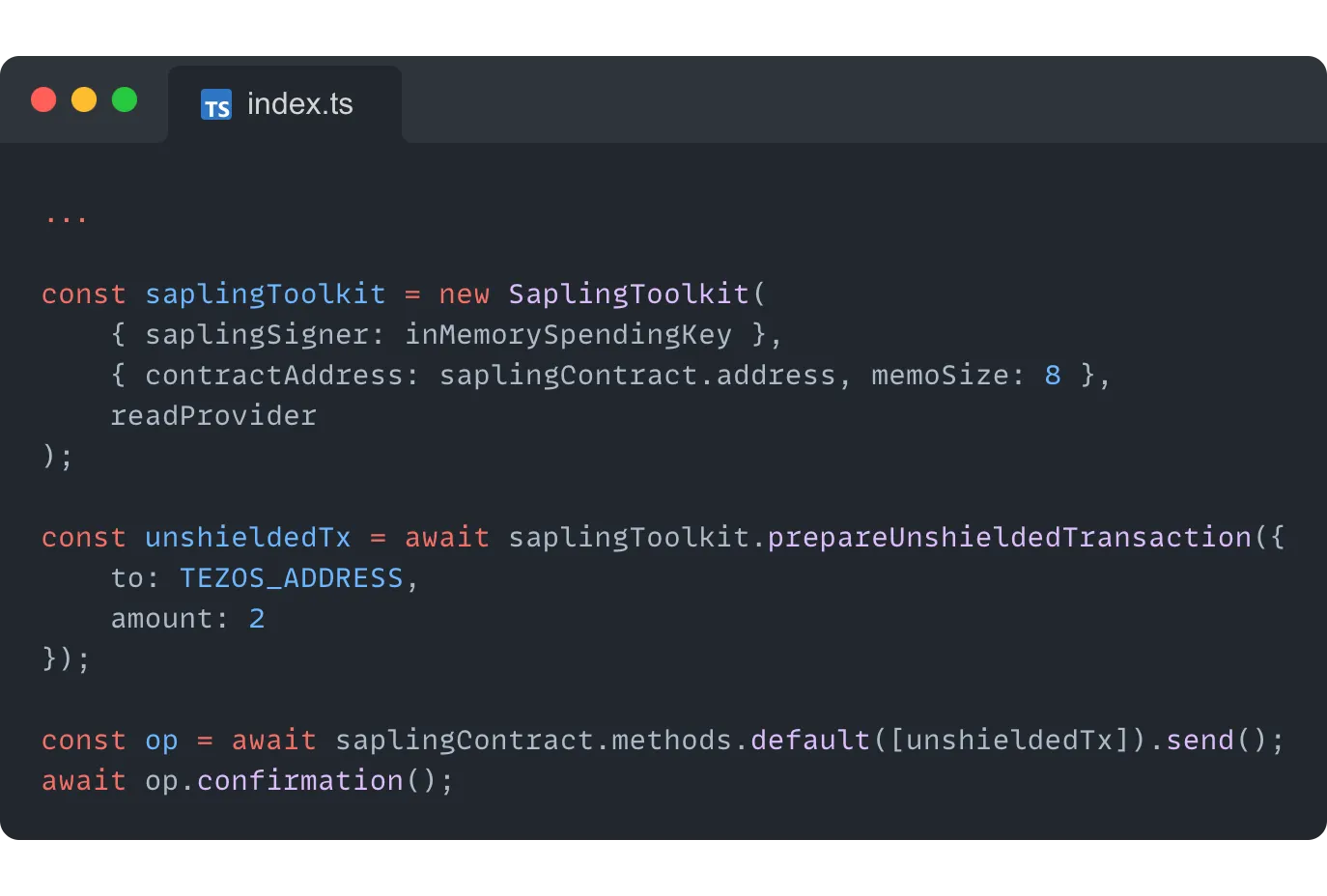
Just like a shielded transaction, an unshielded transaction uses the instance of the SaplingToolkit to forge the transaction with the prepareUnshieldedTransaction method. It takes 2 arguments:
- The address of the implicit account to send the tez to
- The amount to be sent
Then the transaction is passed to the contract through the corresponding entrypoint.
After the transaction is baked, the requested amount will be sent from the Sapling pool to the address passed as a parameter (if the sender has the right to do it, of course).
In addition to sending tez to and from a Sapling pool, it is also possible to move tez from one address to another within a Sapling pool by forging a Sapling transaction.
Creating a Sapling transaction
A Sapling transaction is a transfer of tez from within a Sapling pool between two Sapling addresses (starting with zet... )
As expected, it will also use the SaplingToolkit instance:
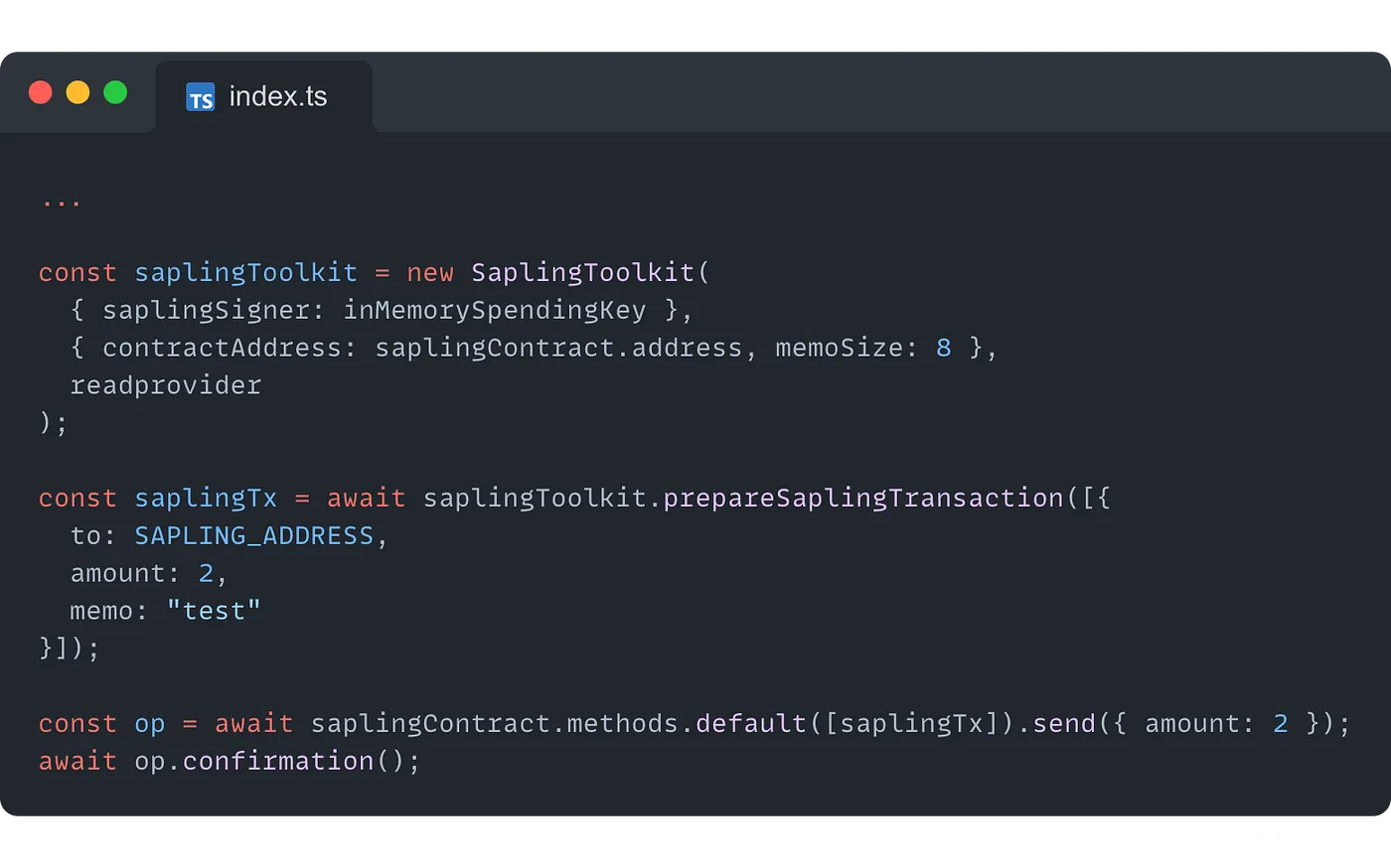
The SaplingToolkit instance exposes a method called prepareSaplingTransaction that takes an array of Sapling transactions in order to be able to send multiple Sapling transactions, each represented as an object with a to property for the recipient (which should be a Sapling address, i.e. an address that starts with zet), an amount property for the amount of tez to transfer and a memo that matches the memo size of the Sapling pool.
Then the transaction(s) can be sent to the corresponding contract entrypoint in order to process the transfer.
Reading a Sapling balance and transaction history with the SaplingTransactionViewer
You don’t need to set up the SaplingToolkit in order to view a balance or a transaction history in a Sapling pool if you have a viewing key ready. This feature can be useful if you need to share a history of your transactions, for example, for legal reasons. You can send your viewing key to a third party and they will be able to check your transactions easily:
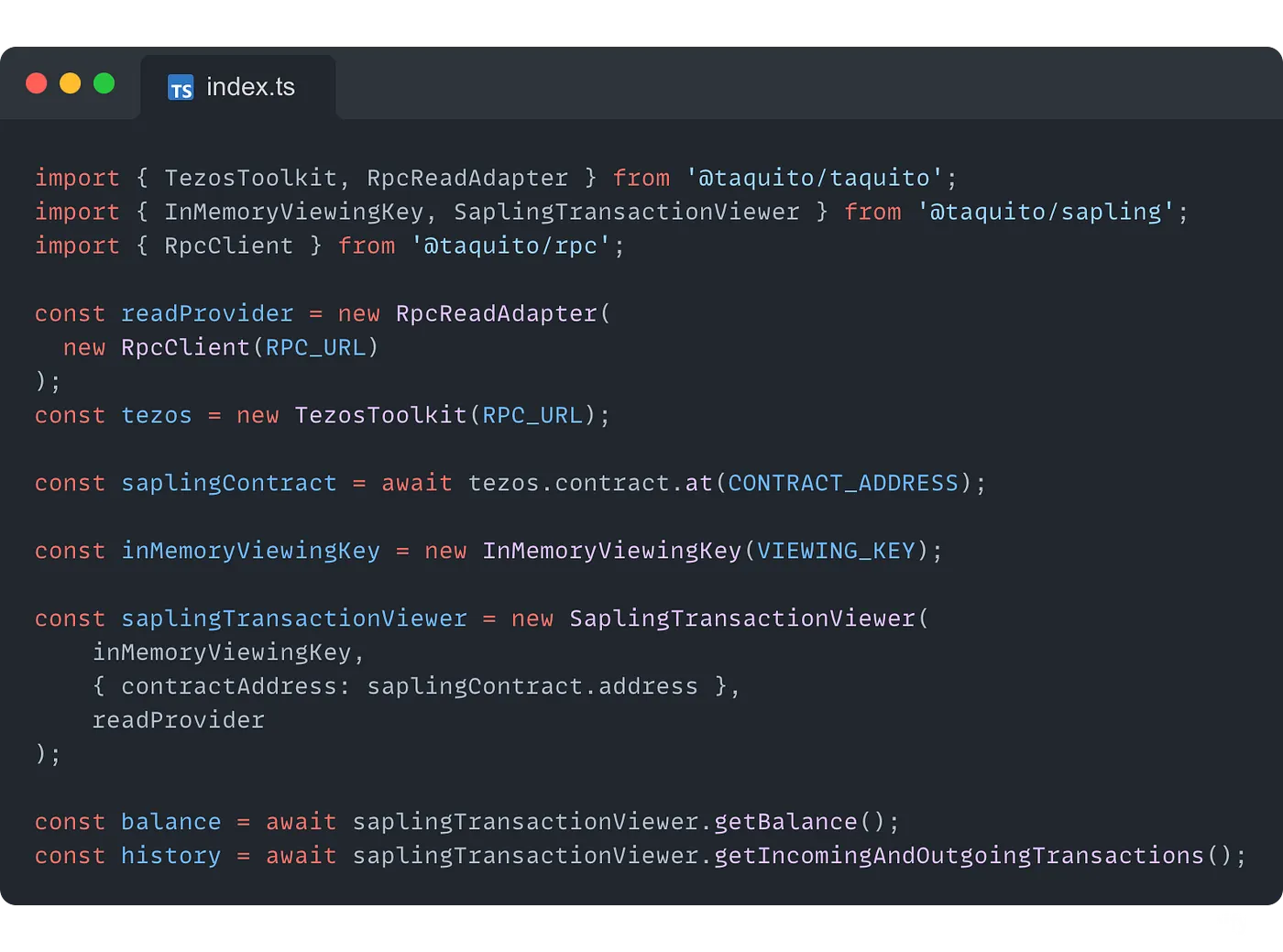
First, you create an instance of the RpcReadAdapter that will be used by the SaplingTransactionViewer. Next, you create a new instance of the InMemoryViewingKey by passing the viewing key for the corresponding account.
Now, you have all the values you need to pass as parameters to create the instance of the SaplingTransactionViewer :
- The instance of the
InMemoryViewingKey - An object with a
contractAddressproperty that receives the address of the contract with the Sapling pool - The instance of the
RpcReadProvider
This will give you a Sapling transaction viewer that you can use as described above to read a balance or a transaction history by calling the corresponding methods.
Conclusion
With its new Sapling package, Taquito once again offers an easy-to-use solution that abstracts all the complexities of the Sapling implementation so you can focus more on the app you build and less on the details of the workings of the Tezos blockchain 🙂
In a few steps, you can quickly set up the SaplingToolkit that will be your gate to all the fantastic features brought by the implementation of Sapling, like shielded transactions and balance/transaction history overview.
Useful links
- The Sapling official documentation: https://tezos.gitlab.io/alpha/sapling.html
- The documentation for the
@taquito/saplingpackage: https://tezostaquito.io/docs/sapling - An article from Adam Shinder that was very useful to understand how Sapling works: https://medium.com/tezos-israel/sapling-and-shielded-transactions-on-tezos-35b9d53103da